
Key facts
- Brand
- Philips
- Model
- CD191/CD196
- Category
- Other Electronics
- Industry
- Appliances
- Documents
- 2
- Languages
- FR · ZH
- Last added
- 2026-11-18
Start here
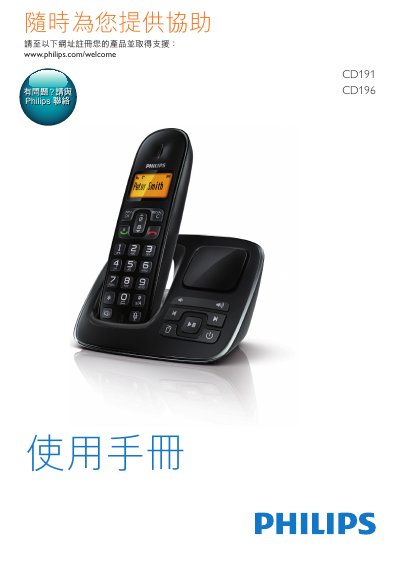
Philips CD191/CD196 Telephone User Manual
This manual provides step-by-step instructions for setting up and using the Philips CD191 and CD196 cordless phones. It covers connecting the base station, charging the handset, making and receiving calls, managing contacts and call logs, adjusting settings, and using the answering machine. Safety warnings and troubleshooting tips are also included.
The guide is written in Chinese (Traditional) and includes diagrams of the handset and base station, as well as explanations of indicator lights and menu navigation.
Philips CD191/CD196 specifications
| Battery Type | 2 rechargeable NiMH AAA batteries |
|---|---|
| Battery Capacity | 650 mAh or 550 mAh |
| Input Voltage | 100-240 V 50/60 Hz |
| Output Voltage | 6 V 500 mA |
| Max Handsets | 4 |
Source: Philips CD191/CD196 Cordless Phone System Quick Start Guide
All Philips CD191/CD196 documents by type
Day-to-day operation, settings and troubleshooting. Start here if the product is already set up.
Questions answered in these manuals
How long should I charge the handset before first use?
You should charge the batteries for 8 hours before the first use.
From: Philips CD191/CD196 Cordless Phone System Quick Start Guide
What should I do if the signal bar is not displayed on the screen?
Move the handset closer to the base unit as it may be out of range.
From: Philips CD191/CD196 Cordless Phone System Quick Start Guide
How do I charge the handset?
Place the handset on the charger/base station and ensure the charging contacts are clean. The battery indicator will show charging progress.
What should I do if there is no dial tone?
Check the phone line connection and ensure the handset is within range of the base station.