
Key facts
- Brand
- Philips
- Model
- D120
- Category
- Telephone
- Industry
- Electronics
- Documents
- 6
- Languages
- ZH · EN
- Last added
- 2026-11-19
Start here
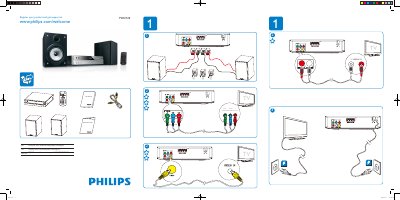
Philips MCD120 Quick Start Guide
The Quick Start Guide helps you register your Philips MCD120 and get support through the Philips website. It provides a brief introduction to the product and points you to online resources for further assistance.
The guide also outlines the system setup options, including TV system selection, screen saver configuration, video settings, TV type, and password rating defaults, enabling you to configure the device quickly for everyday use.
Philips D120 specifications
| Power Requirements | 100-240V AC |
|---|---|
| Operating Temperature | 0°C to +35°C (32°F to 95°F) |
| Storage Temperature | -20°C to +45°C (-4°F to 113°F) |
All Philips D120 documents by type
Day-to-day operation, settings and troubleshooting. Start here if the product is already set up.
The shortest path to a working setup, usually only a few pages.
Questions answered in these manuals
How do I set the date and time on the Philips D120?
Press MENU/OK, select [PHONE SETUP] > [DATE/TIME], enter the date and time using the number buttons, and confirm with MENU/OK.
What should I do before using the batteries for the first time?
The batteries should be charged for 8 hours before the first use.
How long should I charge the phone before first use?
Charge the battery for 8 hours before first use.
What operating temperature range does the Philips D120 support?
Operate the phone at temperatures between 0°C and +35°C (32°F and 95°F).
How do I register my Philips MCD120?
Register your product at www.philips.com/welcomeMCD120.
Where can I find the Quick Start Guide for the MCD120?
The Quick Start Guide is available online at www.philips.com/support.