
Key facts
- Brand
- Philips
- Model
- SMP4000
- Industry
- Electronics
- Documents
- 2
- Languages
- ZH · EN
- Last added
- 2026-11-17
Start here
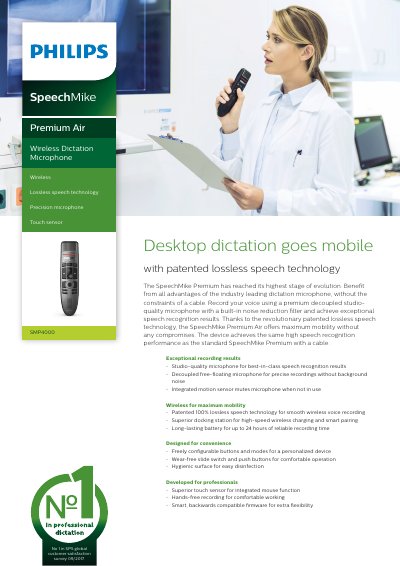
Philips SpeechMike Premium Air Wireless Dictation Microphone SMP4000 User Manual
The SpeechMike Premium Air is a wireless dictation microphone designed for professionals who need high-quality, noise-free voice recording. It features a studio-grade microphone, triple-layer noise reduction, and patented lossless wireless technology for up to 5 meters of range. The device includes a motion sensor to mute when placed down, customizable buttons, and a hygienic surface for easy disinfection. It charges wirelessly via a docking station and supports both Mac and Windows systems, including virtual environments.
The manual covers setup, configuration options, compatibility with speech recognition software, and technical specifications including battery life, dimensions, and system requirements for optimal performance. This manual is written in Chinese.
Philips SMP4000 specifications
| Connectivity | 2.4 GHz ISM Band, 8-FSK Modulation |
|---|---|
| Maximum Range | up to 5 m / 16 ft |
| Microphone Type | electret condenser microphone |
| Battery Lifetime | up to 24 hours of recording |
| Dimensions | 45 × 175 × 32 mm / 1.8 × 6.9 × 1.25 in |
| Weight | 120 g / 4.2 oz |
| Charging Time | 3 h (wireless) |
| Operating Temperature | 5° – 45° C / 41° – 113° F |
| Supported OS | Windows 11, Windows 10 (64 bit), macOS 12/11 |
Source: Philips SpeechMike Premium Air Wireless Dictation Microphone SMP4000 User Manual
All Philips SMP4000 documents by type
Day-to-day operation, settings and troubleshooting. Start here if the product is already set up.
Questions answered in these manuals
What is the maximum wireless range of the SpeechMike Premium Air?
Up to 5 meters or 16 feet in clear view.
From: Philips SpeechMike Premium Air Wireless Dictation Microphone SMP4000 User Manual
How long does the battery last?
Up to 24 hours of reliable recording time.
From: Philips SpeechMike Premium Air Wireless Dictation Microphone SMP4000 User Manual
How do I switch between Standard mode and Dragon mode?
The sheet shows a switch between Standard mode and Dragon mode, marked with a 3 second step and LEDs off. It is listed separately from the button assignments.
From: Philips SpeechMike Premium Air SMP4000/4010 Dragon Mode Button Assignment Guide
What does button 3 do on the SMP4010 in Dragon mode?
Button 3 controls the SpeechMike microphone, switching it on and off.
From: Philips SpeechMike Premium Air SMP4000/4010 Dragon Mode Button Assignment Guide