
Key facts
- Brand
- Philips
- Model
- SRU5110/86
- Category
- Other Electronics
- Industry
- Electronics
- Documents
- 2
- Languages
- SV · EN
- Last added
- 2026-11-18
Start here
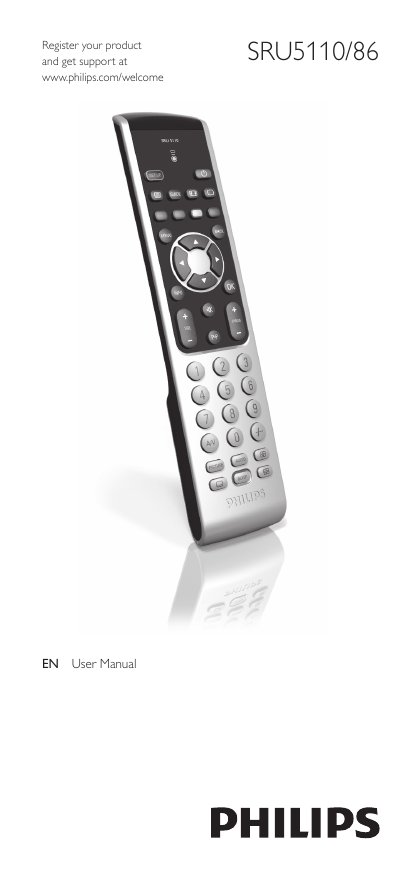
Philips SRU5110/86 Universal Remote User Manual
This manual explains how to install the batteries, set up the remote for your TV, and use the various buttons and functions. It also includes a quick start guide, detailed button descriptions, and instructions for resetting improved buttons.
The service section covers common problems, FAQs, battery replacement, and contact information for further help. A comprehensive brand code list is provided for programming the remote to work with many TV manufacturers.
Philips SRU5110/86 specifications
| Model | SRU5110/86 |
|---|---|
| Supported devices | TV |
| Number of keys | 37 |
| Operating distance | 10 m |
| Carrier frequency range | 24-55 kHz |
| Transmission angle | 90 degrees |
| Number of brands in database | More than 1000 |
| Battery type | AAA |
| Number of batteries | 2 |
| Battery life | 12 months |
| Language support | GB/F/D/NL/DK/S/N/FIN |
| Warranty | 2 years limited |
| Teletext | Quicktext |
All Philips SRU5110/86 documents by type
Day-to-day operation, settings and troubleshooting. Start here if the product is already set up.
Questions answered in these manuals
How do I set up the SRU5110 remote control?
SimpleSetup takes three steps: find the device's brand code and enter it, press the power button until the device switches off, then check that all buttons work.
How many devices does the Philips SRU5110 work with?
It works with more than 1000 devices, and the codes for all brands are available on the Philips support website.
How do I insert the batteries?
Press the cover inward, slide it, place two AAA batteries in the compartment, then replace the cover firmly.
What should I do if the remote does not respond?
Replace the batteries and then test the remote; if it still does not work, re‑enter setup mode and program the correct code.