
Key facts
- Brand
- Philips
- Model
- AD300
- Category
- Home Speakers
- Industry
- Electronics
- Documents
- 2
- Languages
- EN · ZH
- Last added
- 2026-11-18
Start here
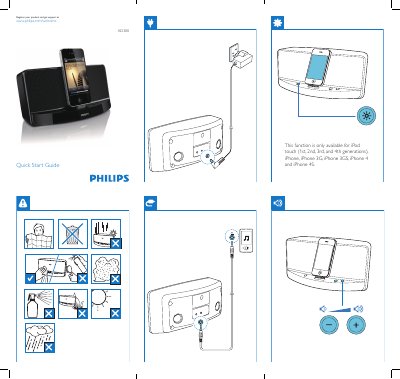
Philips AD300 Speaker Quick Start Guide
This Quick Start Guide covers the Philips AD300, an audio accessory designed for iPod and iPhone. It includes safety warnings about electric shock, moisture and servicing, recycling and environmental disposal guidance, and a notice that changes or modifications not expressly approved by Philips Consumer Lifestyle may void the user's authority to operate the equipment.
The guide lists compatible Apple devices — iPod touch (1st, 2nd, 3rd and 4th generations), iPhone, iPhone 3G, iPhone 3GS, iPhone 4 and iPhone 4S — and states that the product is “Made for iPod” and “Made for iPhone”. Specifications cover the amplifier, AUX input, power adapter Y12FE-050-2000B, power consumption, dimensions and weight.
Philips AD300 specifications
| Rated Output Power | 2 x 2 W RMS |
|---|---|
| Signal to Noise Ratio | 65 dB |
| AUX IN | 0.6 V RMS 10 kohm |
| AC power adapter | Y12FE-050-2000B (Philips) |
| Adapter input | 100-240 V~ 50-60Hz, 0.35A |
| Adapter output | 5 V 2000 mA |
| Operation Power Consumption | <10 W |
| Eco Standby Power Consumption | <1W |
| Dimensions - Main Unit (W x H x D) | 216 x 102 x 112 mm |
All Philips AD300 documents by type
The shortest path to a working setup, usually only a few pages.
Day-to-day operation, settings and troubleshooting. Start here if the product is already set up.
Questions answered in these manuals
Which iPod and iPhone models work with the Philips AD300?
The AD300 is designed for iPod touch (1st, 2nd, 3rd and 4th generations), iPhone, iPhone 3G, iPhone 3GS, iPhone 4 and iPhone 4S, and is certified “Made for iPod” and “Made for iPhone”.
What is the rated output power of the Philips AD300?
The amplifier delivers 2 x 2 W RMS with a signal-to-noise ratio of 65 dB.
What devices are compatible with the AD300 speaker?
It supports iPhone 4S, iPhone 4, iPhone 3GS, iPhone 3G, iPhone, iPod touch (1st–4th gen), iPod nano (1st–6th gen), iPod classic, iPod with video, color display iPod, and iPod mini.
How do I adjust the volume and display brightness?
Press the +/- buttons to adjust volume and the button to adjust display brightness.