
Key facts
- Brand
- Philips
- Model
- DVP2850
- Category
- Video Player
- Industry
- Electronics
- Documents
- 2
- Languages
- ES · EN
- Last added
- 2026-11-18
Start here
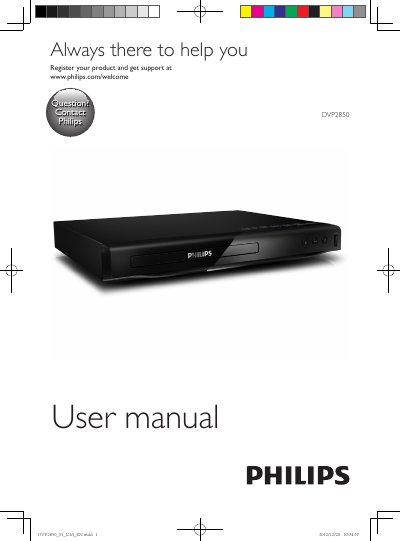
Philips DVP2850 DVD Player User Manual
This is the Philips user manual for the DVP2850 DVD player. It starts with a Hookup and Play section that shows how to connect the player's video, audio and coaxial outputs to a TV, then explains everyday operation: the buttons on the remote control, video options available during play, musical slideshows, repeat play, skip play and DivX video playback with subtitle character sets.
The manual then describes the setup menus (General, Picture, Sound and Preference, including disc lock and its default password), software update, and a Specifications chapter listing region code, playable media, file formats, USB, video, audio, main unit, power and laser data. It closes with a troubleshooting chapter and safety and important notices covering care of the product, environment, compliance, copyright and trademarks.
Philips DVP2850 specifications
| Audio file formats | mp3, wma |
|---|---|
| Video file formats | AVI, divx, mpeg, mpg |
| Video compression formats | DivX Ultra, MPEG1, MPEG2 |
| Compatible discs | CD, CDDA, CD-R/CD-RW, DVD, DVD+R/+RW, DVD-R/-RW, SVCD, VCD |
| MP3 bit rates | 8 - 320 kbps |
| Video D/A converter | 12 bits, 108 MHz |
| Power supply | 110-240 V, 50/60 Hz |
| Product dimensions | 270 x 37.5 x 201 mm |
All Philips DVP2850 documents by type
Day-to-day operation, settings and troubleshooting. Start here if the product is already set up.
Questions answered in these manuals
What discs does the Philips DVP2850 play?
It plays CD, (S)VCD, DVD, DVD+- R/RW, DivX, MP3, WMA, and JPEG.
Does the Philips DVP2850 support USB playback?
Yes, USB Media Link lets you connect a USB flash drive and play photos or music.
What is the default password for Disc Lock?
The default password is 136900; enter the digits with the remote control when a locked disc is inserted.
How do I register the player to play DivX Video-on-Demand movies?
Go to vod.divx.com and register the player using the DivX VOD code, which you display under Setup > General > DivX(R) VOD Code.