
Key facts
- Brand
- Philips
- Model
- AS111
- Category
- Home Speakers
- Industry
- Electronics
- Documents
- 3
- Languages
- ES · ZH · EN
- Last added
- 2026-11-19
Start here
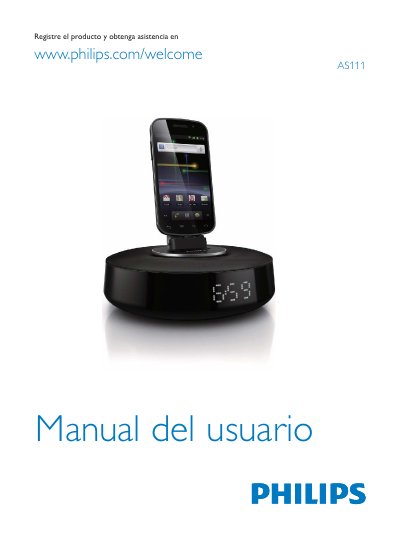
Philips AS111 Bluetooth Speaker User Manual
This manual covers setup, Bluetooth pairing, charging, and features like radio and timer. It includes safety instructions and product care. The AS111 is designed for Android devices and offers hands-free audio with automatic Bluetooth connection via the Fidelio app. This manual is written in Spanish.
Read onlinePhilips AS111 specifications
| Rated output power | 2 x 2 W RMS |
|---|---|
| Signal-to-noise ratio | 75 dBA |
| AC adapter model | S018KC0590240 |
| AC adapter output | 5.9 V, 2.4 A |
| Operating power consumption | 8 W |
| Standby power consumption | Less than 1 W |
| Charging current via micro USB | Max. 1 A |
| Dimensions (main unit) | 171 x 102.6 x 171 mm |
| Weight (main unit) | 0.605 kg |
| Bluetooth operating range | Approx. 10 m (30 ft) |
All Philips AS111 documents by type
Day-to-day operation, settings and troubleshooting. Start here if the product is already set up.
Questions answered in these manuals
What is the maximum recommended distance between the phone and the speaker for Bluetooth?
Keep the portable device within a range of 10 meters from the speaker.
What are the three brightness levels for the night light?
The night light brightness alternates between high, normal, and off.
How do I connect a Bluetooth device to the Philips AS111?
When [PHILIPS AS111] appears on your device, select it to start the connection.
What Android version does the dock require?
The Android device must have Android 2.1 or later.
How do I pair the Philips AS111 with another device via Bluetooth?
Open Bluetooth settings, make the device visible, select "Search for devices", then confirm the password when the pairing request appears.
How can I make the Philips AS111 discoverable to other Bluetooth devices?
In the Bluetooth settings screen set the "Visible" option to on.