
Key facts
- Brand
- Philips
- Model
- OLED705 series
- Category
- Television
- Industry
- Electronics
- Documents
- 2
- Languages
- EN · HR
- Last added
- 2026-11-18
Start here
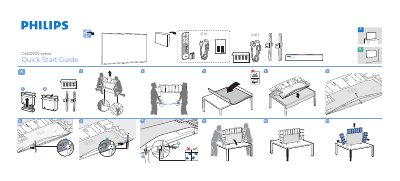
Philips OLED705 Series TV Quick Start Guide
This is the printed quick start guide for the Philips OLED705 series television. It shows the basic setup sequence in numbered pictures, gives the VESA wall-mount dimensions and screw size for the 65-inch (164 cm) set, and lists the socket labels on the back of the TV.
The guide also covers inserting the remote control batteries, the viewing-distance and placement notes, and the safety instructions repeated in many European languages, ending with the product registration and support web address.
Philips OLED705 series specifications
| VESA wall-mount pattern | 300 x 300 mm |
|---|---|
| Wall-mount screw | M6, length 10 mm to 15 mm |
| Screen size (as listed for VESA) | 65" / 164 cm |
| Remote control batteries | 2 x AAA LR03 1.5 V |
| Placement clearance | 20 cm / 15 cm spacing marks |
All Philips OLED705 series documents by type
The shortest path to a working setup, usually only a few pages.
Day-to-day operation, settings and troubleshooting. Start here if the product is already set up.
Questions answered in these manuals
What VESA size does the Philips OLED705 need for wall mounting?
The guide specifies a 300 x 300 mm VESA pattern with M6 screws 10 to 15 mm long for the 65-inch (164 cm) set.
What batteries does the remote control use?
Two AAA LR03 1.5 V batteries.
Where can I register my Philips TV and get support?
Register your product and get support at www.philips.com/TVsupport.
How do I pair the remote control with the TV?
Use the SOURCES / PAIR button to pair the remote control with the television.