
Key facts
- Brand
- Philips
- Model
- DVT4000/DVT6000/DVT6500/DVT8000
- Category
- Other Electronics
- Industry
- Electronics
- Documents
- 2
- Languages
- ES · FR
- Last added
- 2026-11-18
Start here
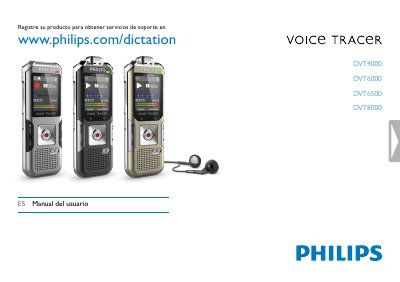
Philips DVT4000/DVT6000/DVT6500/DVT8000 Voice Recorder User Manual
This Spanish-language user manual describes Philips DVT4000, DVT6000, DVT6500 and DVT8000 voice recorders. It covers safety information, package contents, product views, keys, initial setup, MicroSD card insertion, accessories, computer connection, recording and playback.
The manual also covers editing and deleting recordings, radio use for DVT6000 – DVT8000, recording and display settings, device settings, maintenance, software updates, troubleshooting and technical data. It notes model-dependent functions and the symbols used throughout the manual. This manual is written in Spanish.
Philips DVT4000/DVT6000/DVT6500/DVT8000 specifications
| Recording format | Stereo MP-3 recording |
|---|---|
| Zoom microphone range | Up to 15 meters/50 feet |
| Memory card support | MicroSD cards up to 32 GB |
| Headphone port | 3.5 mm stereo headphone port |
| External microphone/line input | 3.5 mm stereo external microphone/line input |
| Remote control battery | CR2025 |
| Battery charge time | Approximately 3.5 hours when connected to a computer |
Source: Philips DVT4000/DVT6000/DVT6500/DVT8000 Voice Recorder User Manual
All Philips DVT4000/DVT6000/DVT6500/DVT8000 documents by type
Day-to-day operation, settings and troubleshooting. Start here if the product is already set up.
Questions answered in these manuals
Which memory cards does the Philips voice recorder support?
It supports MicroSD memory cards with a capacity of up to 32 GB.
From: Philips DVT4000/DVT6000/DVT6500/DVT8000 Voice Recorder User Manual
How long does a full charge take when connected to a computer?
A full charge cycle takes approximately 3.5 hours when the recorder is connected to a computer.
From: Philips DVT4000/DVT6000/DVT6500/DVT8000 Voice Recorder User Manual
What is the maximum microSD card capacity supported?
The recorder supports microSD cards up to 32 GB.
From: Philips DVT4000/DVT6000/DVT6500/DVT8000 Voice Recorder User Manual
How long does it take to fully charge the battery?
A full charge cycle takes about 3.5 hours when connected to a computer.
From: Philips DVT4000/DVT6000/DVT6500/DVT8000 Voice Recorder User Manual