
Key facts
- Brand
- Philips
- Model
- VTR5810
- Category
- Other Electronics
- Industry
- Electronics
- Documents
- 2
- Languages
- ZH
- Last added
- 2026-11-19
Start here
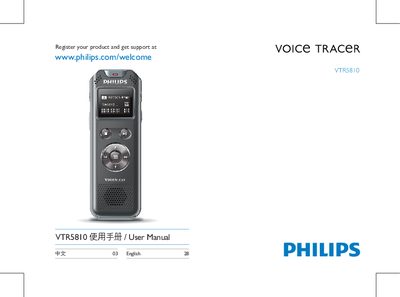
Philips VTR5810 Digital Voice Recorder User Manual
This manual introduces the Philips VTR5810 voice recorder, covering safety precautions, product features, and an overview of its functions. It explains how to start the device, use the recording, voice, music, FM, and system‑setting modes, and provides guidance on connecting to a computer.
The guide also includes detailed technical specifications, charging methods (normal and fast), key‑lock (HOLD) operation, and a troubleshooting section with common questions and solutions. This manual is written in Chinese.
Philips VTR5810 specifications
| Built-in storage | 8 GB |
|---|---|
| USB | High-speed USB 2.0 storage |
| USB mass storage | Up to 64 GB |
| Recording modes | MP3 / WAV |
| Built-in microphone | Stereo |
| Battery type | Lithium polymer battery |
| Speaker type | Slide type |
| Display | OLED |
Source: Philips Voice Tracer VTR5810 Digital Voice Recorder Product Leaflet
All Philips VTR5810 documents by type
Day-to-day operation, settings and troubleshooting. Start here if the product is already set up.
Questions answered in these manuals
What recording modes does the Philips Voice Tracer VTR5810 support?
It supports MP3 and WAV recording modes.
From: Philips Voice Tracer VTR5810 Digital Voice Recorder Product Leaflet
How much built-in storage does the Philips Voice Tracer VTR5810 have?
It has 8 GB of built-in storage.
From: Philips Voice Tracer VTR5810 Digital Voice Recorder Product Leaflet
How do I charge the VTR5810?
Connect the recorder to a PC with the USB data cable or use the dedicated charger; normal charging takes about 3 hours, fast charging about 2 hours.
How can I lock or unlock the keys (HOLD function)?
Slide the power key upward to lock; all keys except the record key are disabled and a lock icon appears. Slide it down to the middle position to unlock.