
Key facts
- Brand
- Philips
- Model
- MCM166
- Category
- Hi-Fi
- Industry
- Electronics
- Documents
- 2
- Languages
- EN
- Last added
- 2026-11-18
Start here
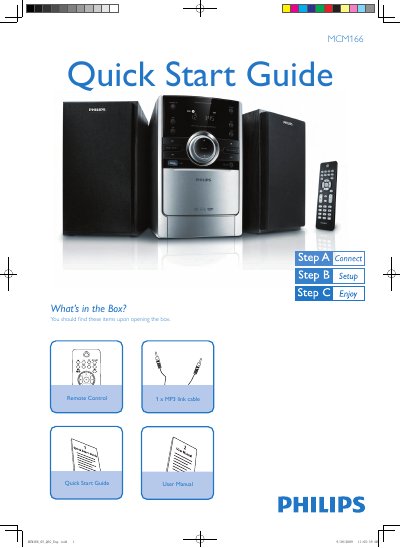
Philips MCM166 Hi-Fi System Quick Start Guide
This is the Philips MCM166 Hi-Fi system Quick Start Guide. It lists what should be in the box, then walks through connecting the left and right speaker cables, the FM antenna and the AC power cord to the wall socket.
The guide then shows how to set the clock (12 or 24 hour format), how to play a disc from the top-loading tray, how to play audio files from a USB device, and how to program and select radio presets for FM or MW. A note at the end points to the supplied user manual for detailed play features and additional functions.
Philips MCM166 specifications
| Supported USB devices | USB flash memory (USB 2.0 or USB 1.1), USB flash players (USB 2.0 or USB 1.1), memory cards (card reader required) |
|---|---|
| Clock formats | 12 hour or 24 hour |
| Radio bands | FM or MW |
| Included accessories | Remote control, Quick Start Guide, User Manual, 1 x MP3 link cable |
All Philips MCM166 documents by type
The shortest path to a working setup, usually only a few pages.
Questions answered in these manuals
What is included in the box with the Philips MCM166?
The box should contain the remote control, the Quick Start Guide, the User Manual and one MP3 link cable.
How do I set the clock on the MCM166?
Press and hold CLOCK (or CLOCK/DISPLAY on the remote control), choose the 12 or 24 hour format with PROG, then set the hour and minute with the arrow buttons and confirm with CLOCK.
What is included in the box?
The box includes a remote control, quick start guide, user manual, and one MP3 link cable.
How do I set the clock on the Philips MCM166?
Press and hold CLOCK (or CLOCK/DISPLAY on the remote control), use PROG to choose 12 or 24 hour format, then set the hour and minute with §/∞ (or 5/6) and confirm with CLOCK.