
Key facts
- Brand
- Philips
- Model
- PPX620
- Category
- Projector
- Industry
- Electronics
- Documents
- 3
- Languages
- EN · PT
- Last added
- 2026-11-21
Start here
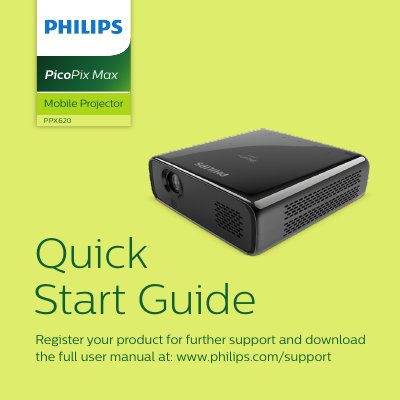
Philips PicoPix Max PPX620 Mobile Projector Quick Start Guide
This quick start guide introduces the Philips Mobile Projector PPX620 PicoPix Max, part of the PicoPix Collection. It shows the connections (HDMI, Micro SD and USB-C video and power ports), the remote control layout, and the basic setup steps, including how to start screen mirroring from an Apple or Android device via PicoPix › Screen Mirroring. It also covers focusing the picture, the home screen with Applications, Settings and App Store, and the charging indicators.
The back of the booklet contains the simplified EU declaration of conformity issued by Screeneo Innovation SA, a repair/warranty form, a list of country hotlines plus international customer support contacts, and the FCC statement with the device's FCC ID. The guide directs users to www.philips.com/support to register the product and download the full user manual.
Philips PPX620 specifications
| Power adapter | Supplied or compatible USB-C PD adapter of 60W or higher |
|---|---|
| Power input | 15V at 3A or 4A; 20V not supported |
| Battery | Built-in battery |
| Usage environment | Indoor use only |
Source: Philips PPX620 PicoPix Max Mobile Projector User Manual
All Philips PPX620 documents by type
Day-to-day operation, settings and troubleshooting. Start here if the product is already set up.
The shortest path to a working setup, usually only a few pages.
Questions answered in these manuals
What power adapter should be used with the projector?
Use the supplied power adapter, or a compatible USB-C PD adapter of 60W or higher that supports 15V at 3A or 4A; 20V is not supported.
From: Philips PPX620 PicoPix Max Mobile Projector User Manual
Can the projector be used outdoors?
No, this product is for indoor use only.
From: Philips PPX620 PicoPix Max Mobile Projector User Manual
What is the native resolution of the PicoPix Max PPX620?
The projector's resolution is 1920 x 1080 pixels (Full HD), and it supports 4K input resolution.
From: Philips PicoPix Max PPX620 Portable Projector Product Leaflet
How long does the built-in battery last?
The built-in battery provides up to 3 hours of projection without a cable.
From: Philips PicoPix Max PPX620 Portable Projector Product Leaflet
Where can I download the full user manual?
Register your product and download the full user manual at www.philips.com/support.
From: Philips PicoPix Max PPX620 Mobile Projector Quick Start Guide
How do I set up screen mirroring from my phone?
On an Apple or Android device, select PicoPix › Screen Mirroring during easy setup.
From: Philips PicoPix Max PPX620 Mobile Projector Quick Start Guide