
Key facts
- Brand
- Philips
- Model
- SPF4308 / SPF4328
- Category
- digital photo frame
- Industry
- Electronics
- Documents
- 4
- Languages
- ZH · EN
- Last added
- 2026-11-18
Start here
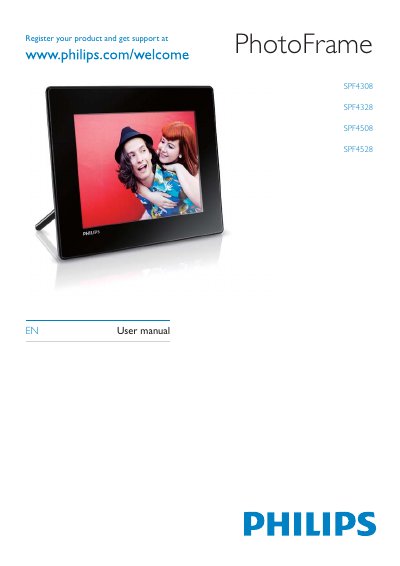
Philips SPF4308/SPF4328/SPF4508/SPF4528 Digital PhotoFrame User Manual
This is the English user manual for the Philips Digital PhotoFrame SPF4308/SPF4328/SPF4508/SPF4528. The SPF4308/SPF4328 models can display JPEG photos and create gift messages; the SPF4508/SPF4528 models also play video clips from a camera and background music for photo slideshows.
The manual covers safety and notices, the PhotoFrame overview and box contents, getting started, playing photos and videos, browsing and managing albums, clock and message features, settings, upgrading the PhotoFrame, product information, FAQs and a glossary.
Philips SPF4308 / SPF4328 specifications
| Product type | Philips digital photo frame (PhotoFrame) |
|---|---|
| Compatible memory cards | SD, MMC, MS and MS Pro |
| Card format defined in glossary | MultiMediaCard (MMC) |
| Security | Kensington K-Slot |
All Philips SPF4308 / SPF4328 documents by type
Day-to-day operation, settings and troubleshooting. Start here if the product is already set up.
Questions answered in these manuals
Which memory cards work with the Philips SPF4308/SPF4328 photo frame?
The manual lists SD, MMC, MS and MS Pro memory cards, and its glossary defines MultiMediaCard (MMC) and Memory Stick.
How do I change the language on the Philips SPF4308/SPF4328?
Use the Choose Language screen, which offers several languages including English, Français, Deutsch, Español, Italiano, Dansk and Nederlands.
Which models can play video clips?
SPF4508 and SPF4528 can play video clips from a camera.
From: Philips SPF4308/SPF4328/SPF4508/SPF4528 Digital PhotoFrame User Manual
How do I turn off the PhotoFrame?
Press and hold the power button for about 2 seconds.
From: Philips SPF4308/SPF4328/SPF4508/SPF4528 Digital PhotoFrame User Manual