
Key facts
- Brand
- Philips
- Model
- SA054108K
- Documents
- 2
- Languages
- ZH
- Last added
- 2011-10-04
Start here
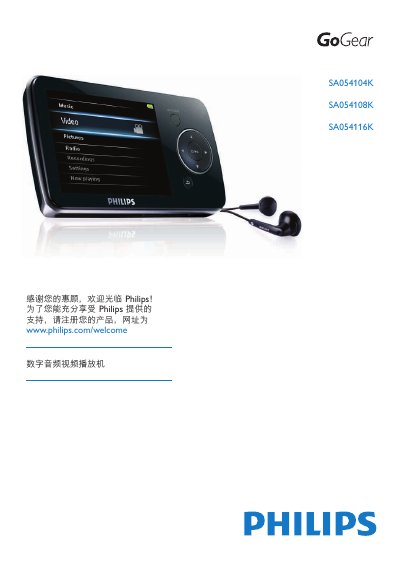
Philips SA054104K SA054108K SA054116K Digital Audio Video Player User Manual
This manual guides you through registering your Philips digital audio video player, installing the Philips Device Manager software, and connecting the device via USB or AV cable. It also covers safety precautions, battery handling, and environmental disposal instructions.
Detailed sections describe how to navigate the main menu, play audio (MP3, WMA, APE, FLAC) and video (RMVB, WMV, MPEG4 .avi) files, use the FM radio, record audio, read text files, and customize equalizer settings. Technical data, system requirements, and a comprehensive FAQ help resolve common issues such as resetting the device or updating firmware. This manual is written in Chinese.
Philips SA054108K specifications
| Operating Temperature | 0 °C to 35 °C |
|---|---|
| Storage Temperature | -20 °C to 45 °C |
| Supported Audio Formats | MP3, WMA, APE, FLAC |
| Supported Video Formats | RMVB, WMV, MPEG‑4 (.avi) |
| Radio Capability | FM broadcast reception |
Source: Philips SA054104K SA054108K SA054116K Digital Audio Video Player User Manual
All Philips SA054108K documents by type
Day-to-day operation, settings and troubleshooting. Start here if the product is already set up.
Questions answered in these manuals
How do I register my Philips digital audio video player?
Visit www.philips.com/welcome and follow the on‑screen instructions to register the product.
From: Philips SA054104K SA054108K SA054116K Digital Audio Video Player User Manual
How can I update the player’s software?
Run the Philips Device Manager on your computer and select “Execute software update” to install the latest firmware.
From: Philips SA054104K SA054108K SA054116K Digital Audio Video Player User Manual