
This document introduces the features and operation guide of Philips mobile phones, including the operations of power on/off, network selection, dialing and answering calls, unlocking the keypad, etc. It also explains the usage of the main menu and shortcut menu bar, as well as the functions of the stylus pen and various keys.
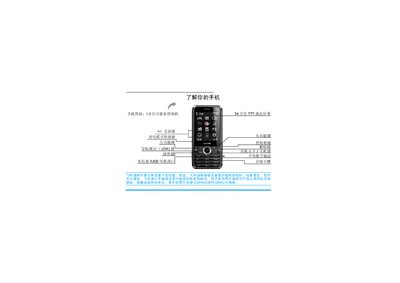
This manual introduces the Philips C600 mobile phone, which supports CDMA, GSM and CDMA1X networks and features a 1.3‑megapixel camera, a 260,000‑color TFT display, and dual SIM/UIM slots. It covers first‑time setup, inserting SIM/UIM cards, charging the battery, and configuring power‑saving and keypad lock options.
Detailed sections guide users through making calls, managing contacts, sending messages, using multimedia functions such as the MP3 player and camera, and accessing system settings like screen calibration and Bluetooth. The document also includes troubleshooting tips, warranty information, and environmental compliance details. This manual is written in Chinese.
| Camera | 1.3 megapixel |
|---|---|
| Display | 260,000‑color TFT LCD |
| Network support | CDMA / GSM / CDMA1X |
| SIM/UIM slots | 2 (dual slot) |
| Memory card | Micro SD (TF) card supported |
Press and hold the B key to lock the keyboard; to unlock, press L then B.
Insert the UIM card into slot 1 and the SIM card into slot 2 as shown in the manual.
Long‑press the power‑saving shortcut key; the screen will turn off and the phone enters power‑saving mode.