
Philips mobile phone user guide, introduces the operation methods of the phone's power on/off, lock/unlock keyboard, dial phone, answer phone, end call, turn on/off speakerphone mode, check new SMS/missed calls, select input keyboard, select input method, enter the main menu, quickly enter the phone book, and quickly return to the standby screen.
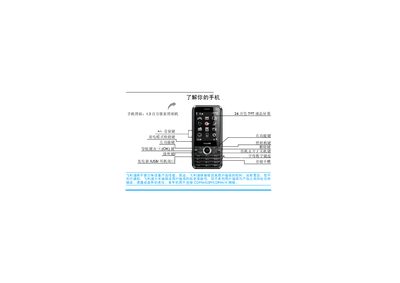
This manual explains how to use the Philips C600 mobile phone, including basic functions such as powering on/off, network selection, making and receiving calls, and using the keypad and touchscreen. It also details advanced features like the handwriting pen, power‑saving mode, automatic keyboard lock, and key backlight settings.
The document provides step‑by‑step instructions for inserting UIM/SIM cards, charging the battery, managing contacts, messages, multimedia, and system settings, as well as safety notices, warranty information, and environmental compliance details. This manual is written in Chinese.
| Camera resolution | 1.3 million pixels |
|---|---|
| Display | 260,000‑color TFT LCD |
| Supported networks | CDMA, GSM, CDMA1X |
| SIM/UIM slots | 2 (UIM and SIM) |
Press and hold the power key ( ) to power the phone on or off.
Remove the back cover, insert the UIM card into slot 1 and the SIM card into slot 2, then replace the battery and back cover.
Long‑press the power‑saving shortcut key, or set the backlight timeout in System Settings > Display Settings > Screen Settings.
Go to System Settings > Screen Calibration and follow the on‑screen instructions.