
Key facts
- Brand
- Philips
- Model
- AJ290
- Category
- Clocks and Timers
- Industry
- Electronics
- Documents
- 2
- Languages
- IT · FR
- Last added
- 2026-11-22
Start here
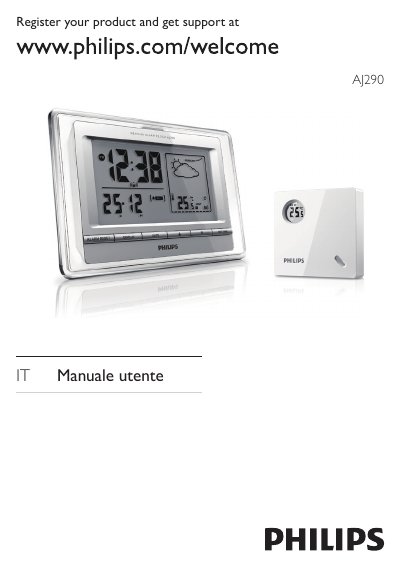
Philips AJ290 Weather Alarm Clock User Manual
This manual is the Italian user guide for the Philips AJ290 weather alarm clock. It describes safety instructions, package contents, controls on the main unit and external sensor, battery installation, display and alarm settings, weather forecast symbols, brightness adjustment, troubleshooting and product specifications.
The unit displays indoor temperature and humidity, outdoor temperature from the sensor, date and time, and weather forecasts. It can be powered by four AAA batteries or by the supplied adapter with a 6 Vdc, 200 mA output. This manual is written in Italian.
Philips AJ290 specifications
| Adapter input | 220-230 V~50 Hz, 30 mA |
|---|---|
| Adapter output | 6 Vdc, 200 mA |
| Adapter model | 3515-0620-ADC |
| Power consumption | 1.2 W |
| Main unit dimensions | 169 x 111 x 28 mm |
| Sensor dimensions | 80 x 80 x 22 mm |
| Weight | 0.3 kg |
| Batteries | 4 AAA (not included) |
All Philips AJ290 documents by type
Day-to-day operation, settings and troubleshooting. Start here if the product is already set up.
Questions answered in these manuals
How many AAA batteries does the main unit need?
The main unit requires 4 AAA batteries, which are not included.
What are the dimensions of the main unit?
The main unit measures 169 x 111 x 28 mm.
What type of batteries does the main unit use?
The main unit uses 4 AAA batteries, which are not supplied; insert them respecting the +/- polarity shown.
How do I switch the temperature between °C and °F?
Use the °C/°F button to switch between degrees Celsius and Fahrenheit.