
Philips 420WN6 LCD display user manual, introduces the safety use, installation, common problems and troubleshooting methods of the display
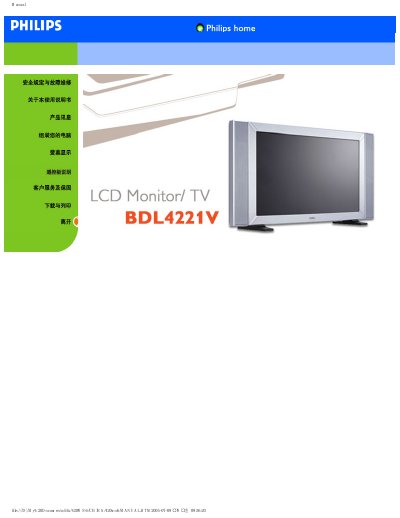
This Chinese-language user manual is for the Philips BDL4221V LCD monitor/TV. It covers safety precautions and repair guidance, installation location requirements, product features and technical specifications, monitor installation, screen and TV operation, and warranty information.
The manual lists operating limits such as 0-35 C and 20-80% relative humidity, power-management behavior, preset resolutions, and troubleshooting steps for no image, poor focus, and remote-control issues. It also notes that long-displayed high-contrast images can leave a non-repairable ghost image that is not covered by warranty. This manual is written in Chinese.
| Display type | TFT LCD |
|---|---|
| Display size | 42 inches |
| Pixel pitch | 0.227 x 0.681 mm |
| Native resolution | 1366 x 768 pixels |
| Effective viewing area | 930.25 x 523.01 mm |
| Display colors | 16.7 million (8-bit interface) |
| PC vertical refresh rate | 56-75 Hz |
| PC horizontal refresh rate | 30-63 kHz |
| Video dot rate | <85 MHz |
| Video input impedance | 75 ohm |
| Sync input impedance | 2.2 kohm |
| Input signal level | 0.7 Vpp |
| Video interface | D-sub, S-Video, TV-RF, SCART, composite/component video, DVI-D |
| Audio input level | 500 mV (PC/SVHS/SCART) |
| Speakers | 10 W stereo (10 W RMS x2) |
| Contrast ratio | 1100:1 (DCR on) |
| Brightness | 500 cd/m2 typical |
| Viewing angle | >89 degrees each direction (C/R>5) |
| Response time | 8 ms typical, 12 ms maximum (G to G) |
| Recommended resolution | 1366 x 768 at 60 Hz |
| Dimensions with stand and speakers | 1272 x 680 x 300 mm |
| Dimensions without stand and speakers | 1052 x 644 x 150 mm |
| Weight | 35 kg (with stand and speakers) |
| Power supply | 100-240 V AC, 50/60 Hz |
| Power consumption | Run <100 W typical; sleep <5 W; off <3 W |
Check that the video cable and power cord are firmly connected, check the power outlet, and make sure AC power behind the monitor/TV is turned on.
Use Menu > Image Settings > Auto Adjust, adjust phase and clock in the OSD, avoid extending the video cable, restore factory settings, or lower the resolution and increase font size.
No; a ghost image caused by a long-displayed high-contrast image is not repairable and is not covered by warranty.
The recommended operating conditions are 0-35 C and 20-80% relative humidity.