
Key facts
- Brand
- Philips
- Model
- DVP3560
- Category
- Video Player
- Industry
- Electronics
- Documents
- 5
- Languages
- EN · ZH · JA
- Last added
- 2026-11-22
Start here
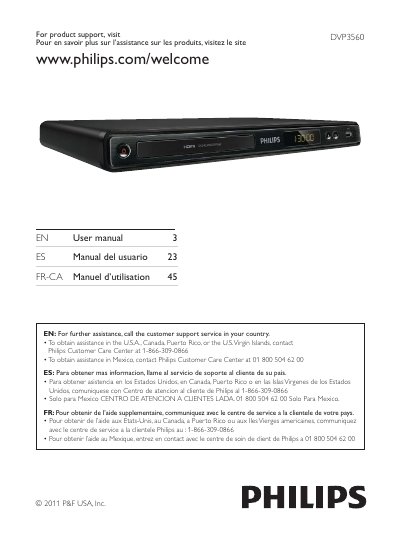
Philips DVP3560 DVD Player User Manual
The Philips DVP3560 is a DVD player. Its user manual covers safety, product overview, connections, getting started, playback, other features, settings, additional information, troubleshooting, glossary and warranty.
It can play DVD, DVD-Video, DVD+R/RW, DVD-R/RW, DVD+R/RW DL, Video CD/SVCD, Audio CD, CD-R/CD-RW, MP3, WMA, DivX Ultra and JPEG files, and it has a USB jack for connecting a USB flash drive. The manual lists the DVD region code for the U.S.A. and Canada.
Philips DVP3560 specifications
| Video resolution | 1080p |
|---|---|
| Audio resolution | 24 bit / 192 kHz |
| Power consumption (standby) | <0.5 W |
| Dimensions (W×H×D) | 400 × 80 × 282 mm |
| USB 2.0 transfer speed | up to 60 Mbps |
All Philips DVP3560 documents by type
Day-to-day operation, settings and troubleshooting. Start here if the product is already set up.
Questions answered in these manuals
What media can the Philips DVP3560 play?
It can play DVD, DVD-Video, DVD+R/RW, DVD-R/RW, DVD+R/RW DL, Video CD/SVCD, Audio CD, CD-R/CD-RW, MP3, WMA, DivX Ultra and JPEG files.
Can I connect a USB flash drive to the Philips DVP3560?
Yes, it has a (USB) jack for connecting a USB flash drive.
How do I register my Philips DVP3560K?
Visit the registration page at www.philips.com/welcome and follow the on‑screen instructions.
How do I connect the DVD player to a TV using HDMI?
Connect an HDMI cable (not supplied) from the HPDMIOUT socket on the player to an HDMI input on the TV.
How do I register my Philips DVP3560K for support?
Visit www.philips.com/welcome and register the product.
What video formats does the DVP3560K support?
It supports CD, CD‑R, CD‑RW, DVD, DVD+R, DVD+RW, DVD‑R, DVD‑RW, DVD‑Video, DivX (3.11‑6.0, Ultra), MPEG‑1, MPEG‑2 and PAL video formats.