
Key facts
- Brand
- Philips
- Model
- 4550
- Category
- Air Cleaners Purifiers
- Industry
- Appliances
- Documents
- 7
- Languages
- EN · JA · ZH
- Last added
- 2026-11-22
Start here
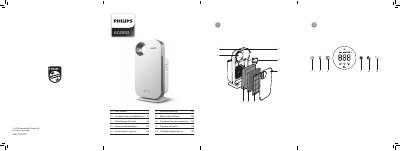
Philips 4550 Air Purifier User Manual
This user manual for the Philips 4550 air purifier covers safety information, product and control overviews, filter installation, and Wi-Fi setup using the Clean Home+ app.
It also explains air quality indicators, operating functions, cleaning and filter replacement, storage, troubleshooting, service, and notices.
Philips 4550 specifications
| Wi-Fi interface | 802.11b/g/n at 2.4 GHz |
|---|---|
| Maximum Wi-Fi output power | 31.62 mW EIRP |
| Air purification filter | NanoProtect filter Series 3 (FY3433) |
| Active carbon filter | NanoProtect filter Active Carbon (FY3432) |
| Gas level range | L1 to L4 |
| Indoor Allergen Index range | 1 to 12 |
| Minimum clearance behind and sides | 20 cm |
| Minimum clearance above | 30 cm |
| PM2.5 air quality levels | ≤12 (blue), 13-35 (blue-purple), 36-55 (purple-red), >55 (red) |
All Philips 4550 documents by type
Day-to-day operation, settings and troubleshooting. Start here if the product is already set up.
- Philips 4550 Air Purifier User Manual 222 p
- Philips D Line 43BDL4550D/50BDL4550D/55BDL4550D User Manual 63 p
- Philips D Line 43BDL4550D/50BDL4550D/55BDL4550D User Manual 72 p
- Philips 43BDL4550D/50BDL4550D/55BDL4550D D Line Display User Manual 71 p
- Philips 32BDL4550D D Line Monitor User Manual 72 p
- Philips HP4550 Color Precise User Manual 112 p
Questions answered in these manuals
How do I reset the Wi-Fi connection on the Philips 4550?
Turn on the air purifier, then touch the two indicated buttons simultaneously for 3 seconds until you hear a beep; the Wi-Fi indicator blinks orange.
What do the air quality light colors mean?
Blue means good, blue-purple fair, purple-red poor, and red very poor air quality.
What is the maximum operating temperature for the Philips D Line 43BDL4550D/50BDL4550D/55BDL4550D?
The maximum operating temperature is 40 °C.
From: Philips D Line 43BDL4550D/50BDL4550D/55BDL4550D User Manual
What is the maximum humidity level for normal operation of the Philips D Line 43BDL4550D/50BDL4550D/55BDL4550D?
The maximum humidity level for normal operation is 80 % RH.
From: Philips D Line 43BDL4550D/50BDL4550D/55BDL4550D User Manual
What should I do if the display is not working properly?
If the display is not functioning correctly despite following the manual's instructions, consult a maintenance technician.
From: Philips D Line 43BDL4550D/50BDL4550D/55BDL4550D User Manual
Can I use eye bolts for mounting the display?
Eye bolts are only suitable for short-term maintenance and installation; they should not be used for more than one hour.
From: Philips D Line 43BDL4550D/50BDL4550D/55BDL4550D User Manual