
Key facts
- Brand
- Philips
- Model
- 52PFL7403
- Category
- Television
- Industry
- Appliances
- Documents
- 3
- Languages
- ZH
- Last added
- 2012-03-13
Start here
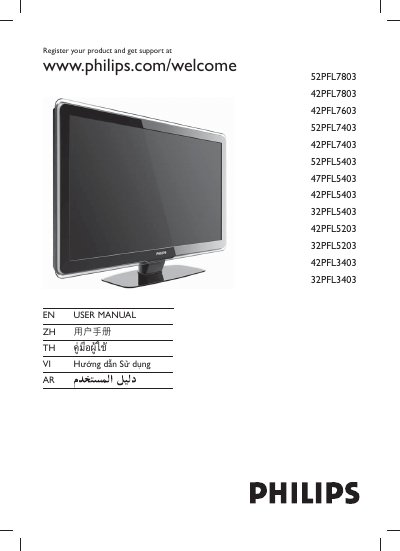
PHILIPS 52PFL7803 42PFL7803 42PFL7603 52PFL7403 42PFL7403 52PFL5403 47PFL5403 42PFL5403 32PFL5403 42PFL5203 32PFL5203 42PFL3403 32PFL3403 user manual
This manual covers the registration process, safety information, and basic operation of Philips televisions. It provides step‑by‑step guidance for powering the TV, selecting channels, navigating menus, adjusting volume, and using special features such as Sleep mode and Ambilight.
Additional sections describe remote‑control functions, VESA mounting standards, warranty information, and how to obtain support through the Philips website. This manual is written in Chinese.
Philips 52PFL7403 specifications
| Screen size | 52 inches |
|---|---|
| Resolution | 1920x1080 |
| Refresh rate | 100 Hz |
| Audio output (RMS) | 30 W |
| Power consumption | 330 W (typical) |
| Standby power consumption | <0.15 W |
| Power supply | 220‑240 V, 50/60 Hz |
| Weight (incl. packaging) | 53 kg |
| HDMI inputs | 4 |
| On‑screen language options | English, Simplified Chinese |
Source: PHILIPS 7400 series point-by-point high definition third generations Television 52PFL7403 Manual
All Philips 52PFL7403 documents by type
Day-to-day operation, settings and troubleshooting. Start here if the product is already set up.
- PHILIPS 52PFL7803 42PFL7803 42PFL7603 52PFL7403 42PFL7403 52PFL5403 47PFL5403 42PFL5403 32PFL5403 42PFL5203 32PFL5203 42PFL3403 32PFL3403 user manual 46 p
- PHILIPS 7400 series point-by-point high definition third generations Television 52PFL7403 Manual 3 p
- PHILIPS 42PFL7603 52PFL7403 42PFL7403 47PFL7403 52PFL5403 47PFL5403 42PFL5403 42PFL5203 Manual 41 p
Questions answered in these manuals
How can I register my Philips TV?
Visit www.philips.com/welcome and follow the registration instructions.
Which buttons adjust the volume?
Use the VOLUME +/- buttons on the remote control.
How many HDMI inputs does the Philips 52PFL7403 TV have?
It provides four HDMI inputs.
From: PHILIPS 7400 series point-by-point high definition third generations Television 52PFL7403 Manual
What is the screen size and resolution of the Philips 52PFL7403 TV?
The TV has a 52‑inch screen with a 1920 × 1080 full‑HD resolution.
From: PHILIPS 7400 series point-by-point high definition third generations Television 52PFL7403 Manual
Why won’t the TV turn on and how can I fix it?
Unplug the power cord, wait about one minute, then plug it back in and try turning the TV on again.
From: PHILIPS 42PFL7603 52PFL7403 42PFL7403 47PFL7403 52PFL5403 47PFL5403 42PFL5403 42PFL5203 Manual
How should I clean the TV screen safely?
Turn the TV off, unplug the power cord, and wipe the screen with a soft dry cloth. Do not use household cleaners or abrasive materials.
From: PHILIPS 42PFL7603 52PFL7403 42PFL7403 47PFL7403 52PFL5403 47PFL5403 42PFL5403 42PFL5203 Manual