
Key facts
- Brand
- Philips
- Model
- 42PFL742
- Category
- Other
- Industry
- Electronics
- Documents
- 4
- Languages
- ZH
- Last added
- 2011-09-16
Start here
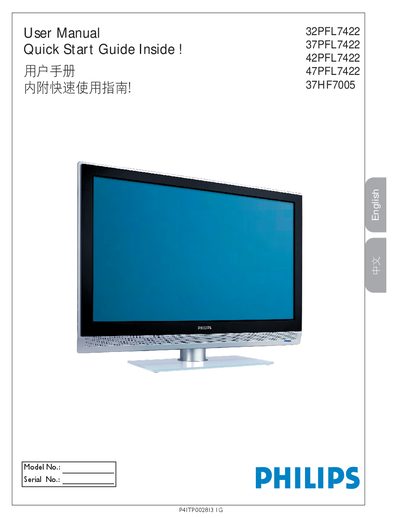
Philips 32PFL7422/37PFL7422/42PFL7422/47PFL7422/37HF7005 Television User Manual
The manual begins with important safety symbols and warnings, explaining how to avoid electric shock, fire hazards, and proper handling of the TV. It also covers preparation, wall‑mount installation, and required clearances around the unit.
Subsequent sections describe how to use the remote control, select input sources (HDMI, component, S‑Video, RF, etc.), navigate the on‑screen menus, set up channels automatically, and adjust picture and sound settings. The final part lists technical specifications such as picture aspect ratio, audio power, power consumption, dimensions, and connectivity details. This manual is written in Chinese.
Philips 42PFL742 specifications
| Resolution | Full HD 1080p (1920×1080) |
|---|---|
| Panel resolution | 1920×1080 |
| Audio output power | 2 × 10 W RMS |
| HDMI inputs | 2 |
| Weight (without stand) | 26 kg |
| Weight (with stand) | 31 kg |
| Dimensions (W×H×D) without stand | 1039 mm × 682 mm × 107 mm |
| Dimensions (W×H×D) with stand | 1039 mm × 745 mm × 29 mm |
Source: Philips 42PFL742 User Manual
All Philips 42PFL742 documents by type
Day-to-day operation, settings and troubleshooting. Start here if the product is already set up.
Questions answered in these manuals
What audio output power does the TV provide?
It delivers 2 × 10 W RMS through its built‑in speakers.
How many HDMI ports are available on the Philips 42PFL742?
The television includes two HDMI inputs.
What is the screen resolution of the Philips 42PFL7422 TV?
The TV has a full‑HD resolution of 1920 × 1080 pixels.
How many HDMI inputs does the TV provide?
It provides two HDMI inputs.
What safety precautions should I follow when installing the TV?
Do not use the TV near water, keep ventilation openings clear, and follow the wall‑mounting instructions with a qualified installer.
From: Philips 32PFL7422/37PFL7422/42PFL7422/47PFL7422 TV User Manual
How can I store TV channels automatically?
After connecting the antenna or cable, run the Auto Store function to scan and save available channels.
From: Philips 32PFL7422/37PFL7422/42PFL7422/47PFL7422 TV User Manual