
Key facts
- Brand
- Philips
- Model
- 220VW9
- Documents
- 3
- Languages
- EN
- Last added
- 2026-11-18
Start here
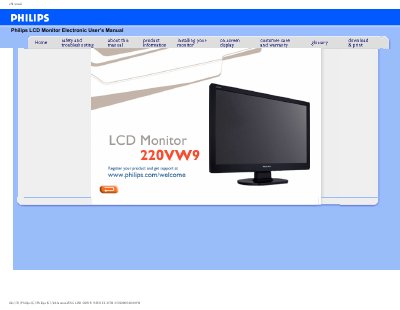
Philips 220VW9 LCD Monitor User's Manual
This is the electronic user's manual for the Philips 220VW9 LCD monitor. It includes safety precautions and maintenance instructions, general FAQs, screen adjustments, compatibility with other peripherals, LCD panel technology, troubleshooting, regulatory information, and other related information.
The manual explains topics such as selecting 1680 x 1050 @60Hz for a Philips 22-inch model, using the MENU and AUTO controls, changing color settings through the OSD, cleaning the LCD surface, and wall mounting with VESA mount holes. It also lists operating temperature and humidity ranges and describes Plug-and-Play compatibility with Windows 95, 98, 2000, XP and Vista.
Philips 220VW9 specifications
| Recommended Video Mode (Philips 22-inch) | 1680 x 1050 at 60 Hz |
|---|---|
| Operating Temperature | 0-40°C (32-104°F) |
| Operating Humidity | 20-80% RH |
| Plug-and-Play Compatibility | Windows 95, 98, 2000, XP and Vista |
All Philips 220VW9 documents by type
Day-to-day operation, settings and troubleshooting. Start here if the product is already set up.
Questions answered in these manuals
What is the recommended video mode for a Philips 22-inch monitor?
The manual states 1680 x 1050 at 60 Hz for a Philips 22-inch monitor.
How do I reset the monitor to its original factory settings?
Press the MENU button and select 'Reset' to recall all of the original factory settings.
What is the recommended video mode for the Philips 220VW9 monitor?
The recommended video mode is 1680 x 1050 at 60Hz.
How do I reset the monitor to factory defaults?
Press the MENU button and select Reset to restore all original default values.
安装我的显示器时,屏幕显示"Cannot display this video mode",我该怎么办?
飞利浦22"显示器之建议视频模式为: 1680 x 1050 @ 60Hz。请按步骤调整电脑显示设置并重新连接显示器。
什么是 Auto(自动) 功能?
只需按 AUTO(自动) 调整键,即恢复最佳屏幕位置、相位和同步脉冲设定,无需经过GO Screen Display) 菜单和控制键的调整。