
This document provides instructions for using the Kodak camera M530, including steps for installing the strap, inserting the battery, charging the battery, setting the language and date/time, taking photos, viewing photos/videos, downloading software, and transferring photos.
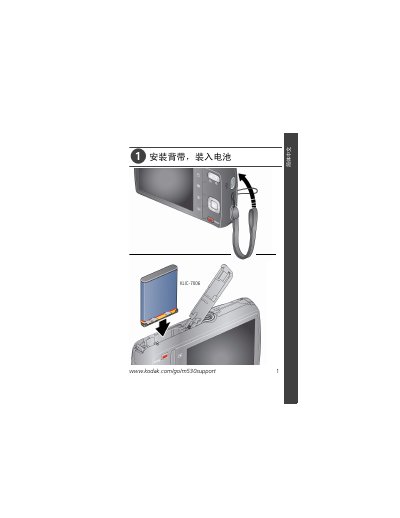
This document serves as a quick start guide for the Kodak M530 digital camera. It provides step-by-step instructions on essential initial tasks such as installing the wrist strap, inserting and charging the KLIC-7006 battery, and configuring language and date settings via the menu system.
The manual details how to operate the camera in various modes including Smart Auto, Program, Scene, and Video. It also explains procedures for reviewing photos and videos on the LCD screen, transferring images to a computer using the included USB cable, and accessing built-in help features. This manual is written in Chinese.
| Battery Model | KLIC-7006 |
|---|---|
| USB Cable Type | Micro B/5 pin |
The manual specifies that the camera uses the KLIC-7006 battery.
You must use the included Kodak camera USB cable, which is a Micro B/5 pin model.
Kodak provides a one-year limited warranty from the date of purchase covering defects in materials and workmanship.