
Key facts
Start here
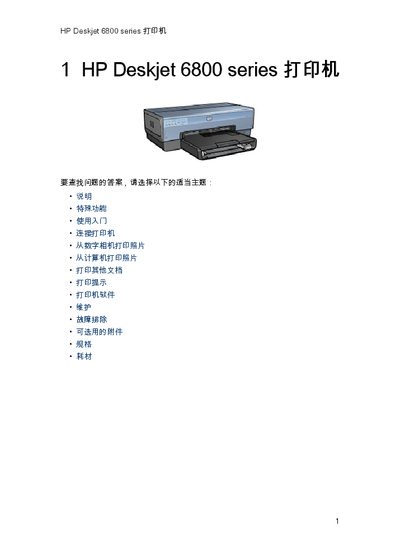
HP Deskjet 6800 Series Printer User Manual
This manual explains the special features of the HP Deskjet 6800 Series printer, including built‑in networking, ink‑backup mode, cancel‑print button, borderless printing, and optional accessories such as automatic duplex units and extra paper trays. It also describes the printer’s hardware components, buttons, indicators, paper handling paths, and PictBridge port.
Step‑by‑step instructions cover turning the printer on and off, loading paper and envelopes, using the photo/ envelope feeder, printing from a computer or camera, adjusting print settings, and troubleshooting common issues such as paper jams, low ink, and power problems. Environmental and recycling information is provided at the end of the guide. This manual is written in Chinese.
All HP Deskjet 6800 series documents by type
Day-to-day operation, settings and troubleshooting. Start here if the product is already set up.
Mounting, wiring and first power-up. Read it before the hardware goes in.
Questions answered in these manuals
How do I cancel a print job?
Press the “Cancel Print” button on the printer to stop the current job.
How do I turn the printer on or off?
Use the power button; press it briefly to turn the printer on, and press it again to shut it down.
How do I find the wireless network name (SSID) for my HP Deskjet 6800 series printer?
You need to consult the configuration utility for the computer’s network card or the wireless access point (WAP) to obtain the network name (SSID).
What wireless security options does the HP Deskjet 6800 series support?
The printer supports Open (no security), Wired Equivalent Privacy (WEP), and Wi‑Fi Protected Access (WPA).
How do I cancel a print job?
Press the Cancel button on the printer.
What is the maximum number of cards the printer can handle?
The printer can handle up to 60 cards at a time.