
Key facts
- Brand
- DELL
- Model
- Inspiron 20
- Category
- All-in-One Desktops
- Documents
- 44
- Languages
- EN · ZH · EL · MUL · RO · ES · PT
- Last added
- 2023-11-24
Start here
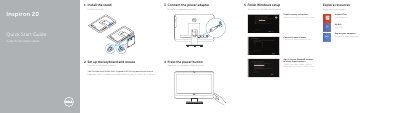
Dell Inspiron 20 Quick Start Guide
This document serves as a Quick Start Guide for the Dell Inspiron 20 computer. It provides instructions for installing the stand, setting up the keyboard and mouse, and completing the initial Windows setup process. Users are guided through enabling security updates, signing into a Microsoft account, and connecting to a network.
Read onlineDell Inspiron 20 specifications
| Model number | 3045 |
|---|---|
| USB 3.0 ports | 2 |
| USB 2.0 ports | 2 |
All Dell Inspiron 20 documents by type
The shortest path to a working setup, usually only a few pages.
- Dell Inspiron 20 Quick Start Guide 2 p
- Dell Inspiron 20 3000 Series Quick Start Guide 2 p
- Dell Inspiron 20-3059 Desktop Quick Start Guide 2 p
- Dell Inspiron 20-3052 Keyboard and Mouse Quick Start Guide 2 p
- Dell Inspiron 20-3052 (W15B) Desktop Quick Start Guide 2 p
- Dell Inspiron 20-3052 Computer Quick Start Guide 2 p
- Dell Inspiron 20-3052 All-in-One PC Quick Start Guide 2 p
- Dell Inspiron 20-3052 All-in-One PC Quick Start Guide 2 p
- Dell Inspiron 20 3000 Series (Inspiron 20-3052) Quick Start Guide 2 p
- Dell Inspiron 20-3052 All-in-One Desktop Quick Start Guide 2 p
- Dell Inspiron 20 3000 Series Quick Start Guide 2 p
- Dell Inspiron 20 3000 Series Quick Start Guide 2 p
- Dell Inspiron 20-3052 Quick Start Guide 2 p
- Dell Inspiron 20 3000 Series Quick Start Guide 2 p
- Dell Inspiron 20-3052 All-in-One Desktop Quick Start Guide 2 p
- Dell Inspiron 20-3052 Desktop Quick Start Guide 2 p
- Dell Inspiron 20-3052 All-in-One Desktop Quick Start Guide 2 p
- Dell Inspiron 20 3000 Series All-in-One Desktop Quick Start Guide 2 p
- Dell Inspiron 20 3000 Series Desktop Quick Start Guide 2 p
- Dell Inspiron 20-3052 Computer Quick Start Guide 2 p
- Dell Inspiron 20-3052 Desktop Computer Quick Start Guide 2 p
- Dell Inspiron 20-3052 Desktop Quick Start Guide 2 p
- Dell Inspiron 20-3052 Desktop Computer Quick Start Guide 2 p
- Dell Inspiron 20 3000 Series Quick Start Guide 2 p
- Dell Inspiron 20-3052 Quick Start Guide 2 p
- Dell Inspiron 20-3052 Desktop Computer Quick Start Guide 2 p
- Dell Inspiron 20 3000 Series Computer Quick Start Guide 2 p
Day-to-day operation, settings and troubleshooting. Start here if the product is already set up.
Disassembly, diagnostics and part numbers, for repair.
- Dell Inspiron 20 3000 Series Computer Service Manual 84 p
- Dell Inspiron 20 3000 Series Service Manual 88 p
- Dell Inspiron 20 Model 3043 Service Manual 76 p
- Dell Inspiron 20 Model 3048 Service Manual 85 p
- Dell Inspiron 20 3000 Series (Inspiron 20-3059) Service Manual 84 p
- Dell Inspiron 20 3000 Service Manual 86 p
- Dell Inspiron 20 3000 Series (Inspiron 20-3059) Service Manual 82 p
- Dell Inspiron 20 3000 Series Service Manual 86 p
- Dell Inspiron 20 3000 Series Service Manual 86 p
- Dell Inspiron 20 3000 Series Service Manual 86 p
- Dell Inspiron 20 3000 Series Service Manual 86 p
Questions answered in these manuals
How many USB 3.0 ports are included on the Inspiron 20?
The computer includes two USB 3.0 ports.
What is the maximum tilt angle for the display?
The display can be tilted up to 30 degrees.
What is the Express Service Code for this computer?
The Express Service Code is W09B.
How do I set up the keyboard and mouse?
See the documentation that shipped with the keyboard and mouse.
What stands are supported for the Inspiron 20-3059?
The supported stands are the Easel stand, Tripod stand, and Pedestal stand.
How do I create recovery media?
In Windows search, type Recovery, click Create a recovery media, and follow the instructions on the screen.