
Key facts
- Brand
- DELL
- Model
- Wyse 3040
- Documents
- 9
- Languages
- EN · MUL · ZH
- Last added
- 2023-11-24
Start here
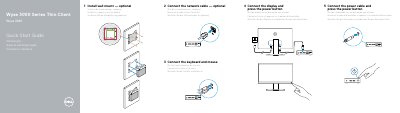
Wyse 3000 Series Thin Client Wyse 3040 Quick Start Guide
This guide provides step-by-step instructions for setting up the Dell Wyse 3040 thin client. It includes connecting the network cable, keyboard, mouse, display, and power cable. The guide also lists the device’s ports and features, such as DisplayPort, USB 2.0 and 3.0 ports, and a network port supporting 10/100/1000 Base-T. Optional wall mount installation is also covered.
Support and regulatory information is provided, including links to Dell’s support and compliance pages, and the regulatory model and type are specified as N10D and N10D001 respectively.
Dell Wyse 3040 specifications
| Power adapter input | +5V/+12V |
|---|---|
| Network port | 10/100/1000 Base-T |
| Regulatory type | N10D001 |
Source: Wyse 3000 Series Thin Client Wyse 3040 Quick Start Guide
All Dell Wyse 3040 documents by type
The shortest path to a working setup, usually only a few pages.
- Wyse 3000 Series Thin Client Wyse 3040 Quick Start Guide 2 p
- Wyse 3000 Series Thin Client Wyse 3040 Quick Start Guide 2 p
- Dell Wyse 3000 Series Thin Client Wyse 3040 Quick Start Guide 2 p
- Wyse 3000 Series Thin Client Wyse 3040 Quick Start Guide 2 p
- Dell Wyse 3000 Series Thin Client Wyse 3040 Quick Start Guide 2 p
- HP 3000 Series Thin Client HP 3040 Quick Start Guide 2 p
- Wyse 3000 Series Thin Client Wyse 3040 Quick Start Guide 2 p
- Wyse 3000 Series Thin Client Wyse 3040 Quick Start Guide 2 p
Mounting, wiring and first power-up. Read it before the hardware goes in.
Questions answered in these manuals
What ports does the Wyse 3040 have?
It has two DisplayPort, two USB 2.0, one USB 3.0, one network port (10/100/1000 Base-T), a lock receptacle, and a universal headset jack.
From: Wyse 3000 Series Thin Client Wyse 3040 Quick Start Guide
What power adapter input voltage does the Wyse 3040 support?
The device accepts a power adapter input of +5V/+12V.
From: Wyse 3000 Series Thin Client Wyse 3040 Quick Start Guide
What ports are available on the Wyse 3040?
The device includes two DisplayPort ports, two USB 2.0 ports, a USB 3.0 port, an additional USB 2.0 port, a network port, and a universal headset jack.
From: Wyse 3000 Series Thin Client Wyse 3040 Quick Start Guide
What is the power adapter input for this device?
The power adapter input is +5V.
From: Wyse 3000 Series Thin Client Wyse 3040 Quick Start Guide
How many DisplayPort connectors does the Wyse 3040 have?
The features list shows DisplayPort (2x).
From: Dell Wyse 3000 Series Thin Client Wyse 3040 Quick Start Guide
What network speed does the Wyse 3040 network port support?
It supports 10/100/1000 Base-T.
From: Dell Wyse 3000 Series Thin Client Wyse 3040 Quick Start Guide