
This guide describes how to set up and use your HP computer.
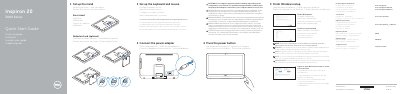
This quick start guide covers initial setup of the Dell Inspiron 20 3000 Series all-in-one computer, model Inspiron 20-3052. It shows how to set up the stand, connect the keyboard and mouse, connect power, and complete Windows setup.
It also lists the computer's ports and controls, explains Dell updates, network and Microsoft account sign-in, SupportAssist, registration, recovery media creation, and support resources.
| USB 3.0 ports | 2 |
|---|---|
| USB 2.0 ports | 2 |
| Optical drive | Optional |
In Windows search, type Recovery, click Create a recovery media, and follow the instructions on the screen.
Keep the power adapter connected to the computer when it is not in use.
Use Dell.com/support and Dell.com/support/manuals.
It is item 8 in the features list.