
Key facts
- Brand
- DELL
- Model
- AC411
- Category
- Other Electronics
- Documents
- 4
- Languages
- ZH · FR · EN
- Last added
- 2026-10-15
Start here
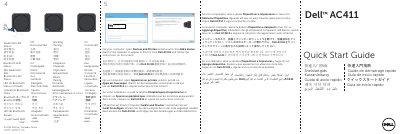
Dell AC411 Speakers Quick Start Guide
The Dell AC411 is a set of speakers that can be connected to a computer via Bluetooth. The guide provides step-by-step instructions for adding the device through the computer's system settings.
Read onlineDell AC411 specifications
| Model Number | AC411 |
|---|---|
| Connection Type | Bluetooth 3.0 |
| Compatible Operating System | Microsoft Windows 7 SP1 or higher, Windows 8 |
| Working Voltage | 18V |
| Working Current | 2.5A |
| Output Power (Continuous RMS) | 7W+7W+15W |
| Total Harmonic Distortion | ≤ 10% |
| Subwoofer Dimensions (H x L x W) | 141 mm x 150 mm x 150 mm |
| Remote Control Dimensions (L x W x H) | 70x70x17.5 mm |
| Maximum Radio Transmission Distance | 10m |
All Dell AC411 documents by type
Day-to-day operation, settings and troubleshooting. Start here if the product is already set up.
The shortest path to a working setup, usually only a few pages.
Questions answered in these manuals
What are the steps to pair the Dell AC411 Bluetooth speaker with a computer?
Turn on the computer or device's Bluetooth function, press the power button on the remote, then hold the Bluetooth button for 2 seconds to start searching.
What should I do if the power indicator light does not turn on?
Check if the wall socket is working by connecting to another outlet, ensure the power adapter is connected properly, or replace the damaged power adapter.
How do I pair the Dell AC411 Bluetooth speakers?
Turn on Bluetooth on your computer or device, press the remote power button, then press and hold the remote Bluetooth button for two seconds to start device pairing.
What is the Bluetooth range of the AC411 speaker?
The radio range is up to 10 meters with no performance degradation within that range.
How do I connect the Dell AC411 speakers to my computer?
Open the Devices and Printers window on your computer, click Add a device, select Dell AC411 from the list, and follow the on-screen instructions.
What does a blinking Bluetooth LED indicate on the speakers?
A blinking Bluetooth LED indicates that the device is pairing.