
This document describes how to set up a keyboard and mouse.
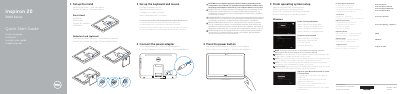
This multilingual quick start guide walks users through the initial setup of the Dell Inspiron 20-3052 all-in-one desktop. It covers connecting the keyboard and mouse, attaching the power adapter, assembling the easel stand, completing the operating system setup, enabling security updates, connecting to a network, and signing in with a Microsoft account.
The guide also lists product support resources, regulatory information, and a detailed features diagram showing ports, buttons, camera, microphones, and optional pedestal stand. Tilt angles for the easel stand are provided, along with instructions for Ubuntu setup.
| USB 3.0 ports | 2 |
|---|---|
| USB 2.0 ports | 2 |
| Headset port | 1 |
| Network port | 1 |
| Audio-out port | 1 |
| Media-card reader | 1 |
| Optical drive | Optional |
| Camera | Integrated |
| Pedestal stand | Optional |
Enter the wireless network password when prompted during the network connection step.
Visit Dell.com/support or Dell.com/support/manuals for product support and manuals.