
Dell Inspiron 20-3052 Desktop Computer Quick Start Guide

This document describes how to set up a keyboard and mouse.
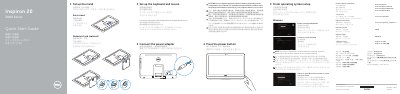

Dell Inspiron 20-3052 Desktop Computer Quick Start Guide - cover page
Brand
DELL
Category
Desktops
Document type
Quick Start Guide
Language
English
Pages
2
File format
PDF
File size
918 KB
Published
22 November, 2023
Updated
22 November, 2023
MD5 checksum
3999A48F83F7AA9FAEE5695E7B5611BB

About this manual

This Dell Quick Start Guide helps users set up the Inspiron 20-3052 desktop computer, including connecting the keyboard, mouse, and power adapter, setting up the easel or pedestal stand, and completing first-time setup for Windows or Ubuntu.

It also identifies computer features and ports such as the camera, USB ports, headset port, and power button, and directs users to Dell support resources at Dell.com/support, Dell Backup and Recovery, and SupportAssist.

What's inside

  • Set up the keyboard and mouse
  • Connect the power adapter
  • Set up the stand
  • Finish operating system setup
  • Connect to your network
  • Sign in to your Microsoft account or create a local account
  • Product support and manuals
  • Regulatory and safety
  • Features
  • Ubuntu

Specifications

USB 3.0 ports2
USB 2.0 ports2
Brightness-control buttons2
Optical driveoptional

Frequently asked questions

Where can users find Dell product support and manuals?

Users can visit Dell.com/support and Dell.com/support/manuals.

How many USB 3.0 ports does the computer have?

The computer has two USB 3.0 ports.

Is the optical drive optional?

Yes, the optical drive is optional.

How many brightness-control buttons does the computer have?

It has two brightness-control buttons.

Download PDF (918 KB)

More DELL Manuals


View all DELL manuals →