
Dell Inspiron 20 3000 Series All-in-One Desktop Quick Start Guide

This guide describes how to set up and use the keyboard and mouse.
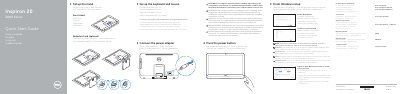

Dell Inspiron 20 3000 Series All-in-One Desktop Quick Start Guide - cover page
Brand
DELL
Category
All-in-One Desktops
Document type
Quick Start Guide
Language
English
Pages
2
File format
PDF
File size
448 KB
Published
22 November, 2023
Updated
22 November, 2023
MD5 checksum
8D08950A92780E5913E5458B1A0656C4

About this manual

This multilingual quick start guide walks users through the initial setup of the Dell Inspiron 20 3000 Series all-in-one desktop. It covers attaching the easel stand (or optional pedestal stand), connecting the keyboard and mouse, plugging in the power adapter, and pressing the power button.

The guide then details the Windows out-of-box experience: completing Windows setup, enabling Dell updates, connecting to a network, and signing in with a Microsoft account. It also introduces SupportAssist for system checks, registration, Dell Help & Support, hardware features, locating Dell apps, and creating recovery media.

What's inside

  • Set up the stand
  • Set up the keyboard and mouse
  • Connect the power adapter
  • Press the power button
  • Finish Windows setup
  • Enable Dell updates
  • Connect to your network
  • Sign in to your Microsoft account
  • SupportAssist
  • Register your computer

Specifications

Optical driveOptional

Frequently asked questions

How do I create recovery media for the Inspiron 20 3000 Series?

In Windows search, type Recovery, click Create a recovery media, and follow the on-screen instructions.

What is the computer model?

Inspiron 20-3052.

How many USB 3.0 ports does the computer have?

2.

How should the power adapter be used for optimal battery performance?

Keep the power adapter connected to your computer when it is not in use.

Download PDF (448 KB)

More DELL Manuals


View all DELL manuals →