
Key facts
- Brand
- DELL
- Model
- OptiPlex 3050 All-in-One
- Category
- All-in-One Desktops
- Documents
- 4
- Languages
- EN
- Last added
- 2023-11-24
Start here
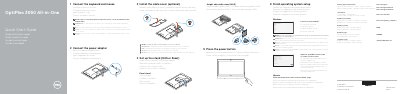
Dell OptiPlex 3050 All-in-One Quick Start Guide
This document serves as a Quick Start Guide for the Dell OptiPlex 3050 All-in-One computer. It provides multilingual instructions for setting up the optional height-adjustable or easel stand, connecting the power adapter, keyboard, and mouse, and configuring the operating system. The guide also includes contact information for Dell support and regulatory compliance details.
Read onlineDell OptiPlex 3050 All-in-One specifications
| Camera | Optional |
|---|---|
| Optical drive | Optional |
| VGA port | Optional |
| Serial port | Optional |
| SD card reader | Included |
| USB 3.0 port with PowerShare | Included |
All Dell OptiPlex 3050 All-in-One documents by type
The shortest path to a working setup, usually only a few pages.
Questions answered in these manuals
What is required to connect to a secured wireless network?
You must enter the password for the wireless network access when prompted.
What optional components are included on the front of the device?
The device may include an optical drive, a VGA port, a serial port, and a camera privacy latch.
What is the regulatory model number for the Dell OptiPlex 3050 All-in-One?
The regulatory model number is W18B.
Is it necessary to install the cable cover on the Dell OptiPlex 3050 All-in-One?
No, installing the cable cover is optional.
What should I do if I am connecting a wireless keyboard or mouse?
See the documentation that shipped with the wireless keyboard or mouse.
How do I connect to a secured wireless network during setup?
Enter the password for the wireless network access when prompted.