
Key facts
Start here
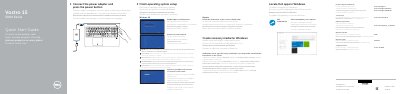
Dell Vostro 15 5000 Series (Vostro 15-5568) Notebook Quick Start Guide
Multilingual quick start guide for the Dell Vostro 15 5000 Series notebook (computer model Vostro 15-5568). It shows how to connect the power adapter, finish operating system setup, locate Dell apps, and create recovery media.
The guide also identifies notebook features such as ports, camera, fingerprint reader, and touchpad, and lists shortcut keys for audio, display, brightness, wireless, and sleep.
Dell Vostro 15 5000 Series specifications
| Regulatory model | P62F |
|---|---|
| Regulatory type | P62F001 |
| Computer model | Vostro 15-5568 |
Source: Dell Vostro 15 5000 Series (Vostro 15-5568) Notebook Quick Start Guide
All Dell Vostro 15 5000 Series documents by type
Day-to-day operation, settings and troubleshooting. Start here if the product is already set up.
The shortest path to a working setup, usually only a few pages.
Questions answered in these manuals
How do I finish operating system setup?
Follow the instructions on the screen to finish setup.
From: Dell Vostro 15 5000 Series (Vostro 15-5568) Notebook Quick Start Guide
How do I create recovery media for Windows?
In Windows search, type Recovery, click Create a recovery media, and follow the instructions on the screen.
From: Dell Vostro 15 5000 Series (Vostro 15-5568) Notebook Quick Start Guide