
Key facts
Start here
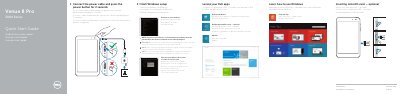
Dell Venue 8 Pro 3000 Series (3845) Tablet Quick Start Guide
This quick start guide covers initial setup of the Dell Venue 8 Pro 3000 Series tablet, including connecting power, completing Windows setup, connecting to a network, and locating Dell apps.
It also identifies tablet features and provides product support, regulatory, and safety references.
Dell Venue 8 Pro specifications
| Height | 216.20 mm (8.51 inches) |
|---|---|
| Width | 130 mm (5.11 inches) |
| Thickness | 9 mm (0.35 inches) |
| Weight | 406g +/-5g (0.90lb +/-0.01lb) |
| Operating temperature | 0°C to 35 °C (32°F to 95 °F) |
| Non-operating temperature | -40°C to 65 °C (-40°F to 149 °F) |
| Relative humidity, operating | 10% to 90% (noncondensing) |
| Relative humidity, non-operating | 5% to 95% (noncondensing) |
| Altitude, operating | -15.20 m to 3048 m (-50 ft to 10,000 ft) |
| Altitude, storage | -15.20 m to 10,668 m (-50 ft to 35,000 ft) |
| Audio port | One headset/audio-out port |
| microSD card slot | One microSD-card slot |
| USB port | One micro-USB 2.0 port |
| Display type | 8” WXGA with multi-point capacitive touch |
| Display resolution (maximum) | 1280 x 800 |
| Aspect ratio | 16:9 |
| Brightness (maximum) | 400 nits |
| Viewing angle | Symmetrical 80 degrees |
| Contrast ratio | 700:1 |
| Color depth | 24 bit/pixel |
| Power adapter input voltage | 100-240 VAC |
| Power adapter input current (maximum) | 0.50 A |
| Power adapter input frequency | 50-60 Hz |
| Power adapter output power | 10 W |
| Power adapter output current | 2 A |
| Power adapter rated output voltage | 5 VDC |
| Power adapter operating temperature | 0°C to 40°C (32°F to 104 °F) |
| Power adapter storage temperature | -40°C to 70 °C (-40°F to 158 °F) |
| Front-facing camera | 1.2 MP (16:9) |
| Rear-facing camera | 5 MP (16:9) |
| Battery charge time | About 4 hours |
All Dell Venue 8 Pro documents by type
Day-to-day operation, settings and troubleshooting. Start here if the product is already set up.
The shortest path to a working setup, usually only a few pages.
Questions answered in these manuals
How long does it take to fully charge a discharged battery?
A fully discharged battery takes about 4 hours to fully charge.
What is the maximum display resolution?
The maximum display resolution is 1280 x 800.
How long do I press the power button to turn on the tablet?
Press the power button for 2 seconds.
From: Dell Venue 8 Pro 3000 Series (3845) Tablet Quick Start Guide
How do I connect to a secured wireless network?
Enter the password for the wireless network access when prompted.
From: Dell Venue 8 Pro 3000 Series (3845) Tablet Quick Start Guide
How do I charge the Dell Venue 8 Pro tablet?
Use only the supplied 10W AC power adapter and Micro-USB cable. Charge in an ambient temperature of 0°C to 35°C.
What is the screen resolution of the Venue 8 Pro?
The display is 8” WXGA with a resolution of 800 x 1280 pixels and a 16:9 aspect ratio.