
This guide describes how to set up and use a Dell computer.
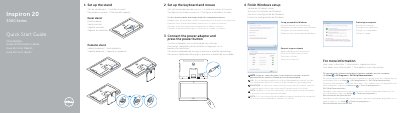
This Dell Quick Start Guide helps set up the Inspiron 20-3059 desktop computer. It covers finishing Windows setup, creating a Windows password, and connecting to a network.
The guide also explains stand assembly, keyboard and mouse setup, and connecting the power adapter. Users can open Dell Help Documentation for features and advanced options.
| Computer model | Inspiron 20-3059 |
|---|---|
| Regulatory model | W15B |
| Regulatory type | W15B003 |
| Input voltage | 100 V AC–240 V AC |
| Frequency | 50 Hz–60 Hz |
| Input current | 1.70 A/2.50 A |
| Output voltage | 19.50 V DC |
| Output current | 3.34 A/4.62 A |
| Country of origin | Made in China |
Enter the password for the wireless network access when prompted.
Click Start → All Programs → Dell Help Documentation.
Connect the power adapter.