
Key facts
Start here
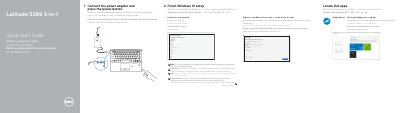
Dell Latitude 5289 2-in-1 Quick Start Guide
This Quick Start Guide for the Dell Latitude 5289 2-in-1 covers first-time setup, including locating Dell apps, checking and updating the computer, connecting the power adapter, finishing Windows 10 setup, connecting to a network, and signing in to a Microsoft account or creating a local account.
The features list includes cameras, microphones, USB 3.0 ports, HDMI and DisplayPort over USB Type-C, card readers, a Noble Wedge lock slot, and optional NFC and fingerprint readers. The document identifies the computer model as Latitude 5289 2-in-1 and the regulatory model as P29S.
Dell Latitude 5289 2-in-1 specifications
| IR camera | optional |
|---|---|
| Fingerprint reader | optional |
| NFC sensor | optional |
| Smart card reader | optional |
| USB 3.0 port | with PowerShare |
All Dell Latitude 5289 2-in-1 documents by type
The shortest path to a working setup, usually only a few pages.
Disassembly, diagnostics and part numbers, for repair.
Day-to-day operation, settings and troubleshooting. Start here if the product is already set up.
Questions answered in these manuals
How do I turn on the computer?
Connect the power adapter and press the power button.
What should I enter when connecting to a secured wireless network?
Enter the password for the wireless network access when prompted.
What is the first step when setting up the Latitude 5289 2-in-1?
Connect the power adapter and press the power button.
Where can I find product support and manuals for this computer?
Visit Dell.com/support or Dell.com/support/manuals.
Where can I find Dell product support and manuals?
The guide lists Dell.com/support and Dell.com/support/manuals for product support and manuals.
What is the regulatory model number?
The regulatory model number is P29S.