
Quick Start Guide for Dell Inspiron 20-3052 (W15B) Desktop
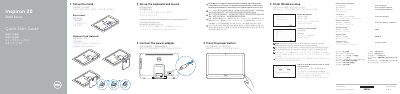
This Quick Start Guide covers the initial setup steps for the Dell Inspiron 20-3052 desktop computer. It details how to set up the optional Easel or Pedestal stand, connect the power adapter, and configure the keyboard and mouse. The document also includes instructions for completing the Windows setup process and enabling Dell updates.
| Rated Voltage | 100 - 240 Volts (AC) |
|---|---|
| Rated Frequency | 50 - 60 Hertz |
| Rated Input Current | 1.3 Amperes (45 Watts) / 1.6 or 1.7 Amperes (65 Watts) |
| USB 3.0 ports | 2 |
| USB 2.0 ports | 2 |
Keep the power adapter connected to your computer when it is not in use for optimal battery performance and life span.
In Windows search, type Recovery, click Create a recovery media, and follow the instructions on the screen.