
Quick Start Guide for Dell Inspiron 20 3000 Series Desktop.
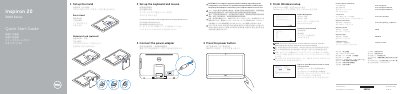
This Quick Start Guide provides initial setup instructions for the Dell Inspiron 20-3052 (Inspiron 20 3000 Series) all-in-one desktop. It covers assembling the easel or optional pedestal stand, connecting the keyboard, mouse, and power adapter, and pressing the power button to start the computer.
The guide then walks through completing Windows setup, enabling Dell updates, connecting to a network, and signing in with a Microsoft account. It also illustrates the computer's features including tilt angles, port locations (USB 3.0, USB 2.0, headset, media card reader, network, audio-out, power), and optional optical drive. Additional sections describe using SupportAssist, registering the computer, accessing Dell Help & Support, locating Dell apps, and creating recovery media.
| Rated voltage | 100-240 V AC |
|---|---|
| Rated frequency | 50-60 Hz |
| Rated input current | 1.3 A (45 W) / 1.6-1.7 A (65 W) |
| Easel stand tilt range | 12.5°–40° |
| USB 3.0 ports | 2 |
| USB 2.0 ports | 2 |
| Headset port | 1 |
| Media card reader | 1 |
| Network port | 1 |
| Audio-out port | 1 |
| Power adapter port | 1 |
| Optional optical drive | Yes |
The rated voltage is 100-240 V AC.
In Windows search, type Recovery, click Create a recovery media, and follow the on-screen instructions.
The easel stand tilt range is 12.5° to 40°.