
Key facts
- Brand
- DELL
- Model
- Latitude E7270 Wyse TC
- Category
- Other Computer Accessories
- Documents
- 3
- Languages
- EN
- Last added
- 2023-11-24
Start here
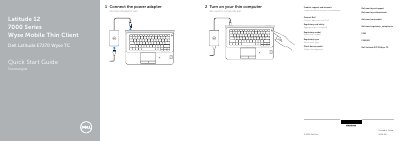
Dell Latitude E7270 Wyse TC Thin Client Quick Start Guide
This Dell Quick Start Guide covers the Latitude E7270 Wyse TC thin client. It explains how to connect the power adapter and turn on the thin computer, and lists Dell product support and regulatory details.
The guide identifies the system's features, including network, HDMI, DisplayPort, and USB 3.0 ports, camera, speakers, touchpad, smart card and fingerprint readers, and the service-tag label.
Dell Latitude E7270 Wyse TC specifications
| Input Voltage | 100 V CA–240 V CA |
|---|---|
| Input Current (max) | 2.5 A |
| Input Frequency | 50 Hz–60 Hz |
| Output Current | 3.34A – 4.62A |
| Output Voltage | 19.5 V DC |
| Regulatory Model Number | P26S |
All Dell Latitude E7270 Wyse TC documents by type
The shortest path to a working setup, usually only a few pages.
Questions answered in these manuals
How do I turn on the Dell Latitude E7270 Wyse TC thin client?
Turn on your thin computer as described in step 2 of the guide.
From: Dell Latitude E7270 Wyse TC Thin Client Quick Start Guide
Where can I find product support and manuals for this Dell thin client?
Visit Dell.com/wyse/support and Dell.com/wyse/downloads for product support and manuals.
From: Dell Latitude E7270 Wyse TC Thin Client Quick Start Guide
What is the regulatory model number for this device?
The regulatory model number is P26S.
Where can I find product support and manuals?
You can find them at Dell.com/wyse/support or Dell.com/wyse/downloads.
What is the regulatory model number?
The regulatory model number is P26S.
Where can I find product support and manuals?
You can find them at Dell.com/wyse/support and Dell.com/wyse/downloads.