
This document describes how to set up a keyboard and mouse.
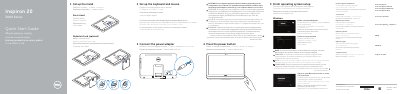
This quick start guide provides step-by-step instructions for setting up the Dell Inspiron 20-3052 all-in-one desktop, including connecting the keyboard, mouse, power adapter, and stand. It also walks through completing the operating system setup, enabling security updates, connecting to a network, and signing in to a Microsoft account.
The guide illustrates the system's features such as the tilt-adjustable easel stand, optional pedestal stand, camera, microphones, USB 3.0 and 2.0 ports, media-card reader, and audio ports. It also references Dell support resources, regulatory information, and pre-installed Dell applications like SupportAssist and Dell Backup and Recovery.
| Series | Inspiron 20 3000 Series |
|---|
Connect the power adapter to the power-adapter port on the computer and then to a power outlet.
Follow the on-screen instructions to register your computer using the Dell registration process.