
Dell Inspiron 13 7000 Series (Inspiron 13-7359) Quick Start Guide

Inspiron 13 7000 Series Quick Start Guide.
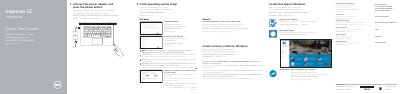

Dell Inspiron 13 7000 Series (Inspiron 13-7359) Quick Start Guide - cover page
Brand
DELL
Category
Laptops
Document type
Quick Start Guide
Language
English
Pages
2
File format
PDF
File size
1020 KB
Published
25 November, 2023
Updated
25 November, 2023
MD5 checksum
72F393593952AEC850596DCF91766F99

About this manual

The Dell Inspiron 13 7000 Series (model 13-7359) is a versatile computer supporting multiple modes, including Notebook, Tablet, Tent, and Stand. This guide provides instructions for initial power-on, operating system setup, and network connection.

The document details the hardware layout, including various ports such as HDMI and USB 3.0, and lists the available keyboard shortcut keys for audio, brightness, and wireless control.

What's inside

  • Connect the power adapter
  • Finish operating system setup
  • Connect to your network
  • Create recovery media for Windows
  • Features
  • Shortcut keys
  • Modes

Specifications

Regulatory modelP57G
Regulatory typeP57G002
Computer modelInspiron 13-7359

Frequently asked questions

How do I create recovery media for Windows on this laptop?

In Windows search, type Recovery, click Create a recovery media, and follow the on-screen instructions.

What modes does the Inspiron 13-7359 support?

The device supports Notebook, Tablet, Tent, and Stand modes.

Download PDF (1020 KB)

More DELL Manuals


View all DELL manuals →