
Key facts
- Brand
- Casio
- Model
- EX-Z700
- Category
- Digital cameras
- Industry
- Electronics
- Documents
- 7
- Languages
- EN · JA · ZH
- Last added
- 2012-06-06
Start here
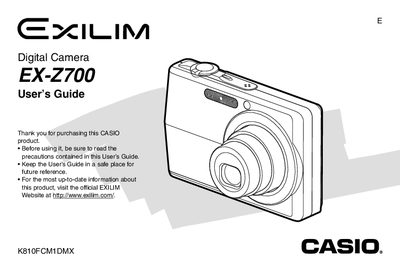
Casio EX-Z700 Digital Camera User's Guide
The Casio EX-Z700 is a digital camera equipped with features such as optical zoom, digital zoom, flash assist, and various scene modes including Best Shot. The guide explains how to record images and movies, adjust exposure and white balance, and utilize functions like the self-timer and continuous shutter.
Read onlineCasio EX-Z700 specifications
| Power Requirement (AC Adaptor AD-C52S) | 100 to 240V AC, 50/60Hz, 90 mA |
|---|---|
| Output (AC Adaptor AD-C52S) | 5.3V DC, 650 mA |
| Dimensions (AC Adaptor AD-C52S) | 63(W) X 20(H) x 50(D) mm |
| Weight (AC Adaptor AD-C52S) | Approximately 76 g |
All Casio EX-Z700 documents by type
Day-to-day operation, settings and troubleshooting. Start here if the product is already set up.
- Casio EX-Z700 Digital Camera User's Guide 247 p
- Casio EX-Z700 Digital Camera User's Guide 247 p
- Casio EX-Z700 Digital Camera User's Guide 247 p
- Casio EX-Z700 Digital Camera User Manual 247 p
- CASIO digital cameraEX-Z700 user manual 247 p
- Casio EX-Z700 Digital Camera User Manual 247 p
- CASIO digit cameraEX-Z700 Manual
Questions answered in these manuals
What is the output voltage of the Special AC Adaptor AD-C52S?
The output is 5.3V DC, 650 mA.
How do I configure the display language and clock settings?
Refer to section 'To configure display language and clock settings' in the manual.
What battery is required for this camera?
The camera uses a Rechargeable Lithium ion Battery (NP-40).
Which AC adaptors are compatible with this model?
The Special AC Adaptor models AD-C52S or AD-C52G are included.
How do I turn on the camera?
Press [REC] or [PLAY] to turn on the camera and enter the mode you want to use.
What accessories come with the camera?
The package includes the camera, NP-40 battery, CA-29 USB cradle, strap, CD-ROM, USB cable, AV cable, and basic reference.