
Key facts
- Brand
- Casio
- Model
- PCR-T2000
- Industry
- Appliances
- Documents
- 2
- Languages
- EN
- Last added
- 2026-10-18
Start here
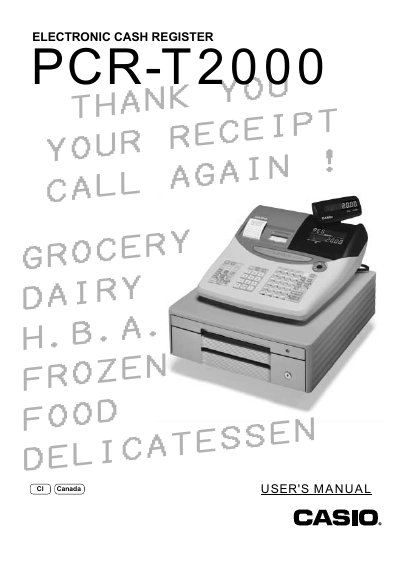
CASIO PCR-T2000 Electronic Cash Register User's Manual
The CASIO PCR-T2000 is an electronic cash register designed to provide reliable operation with simple controls that can be mastered without special training. This manual covers unpacking, initial setup including battery installation and paper loading, and basic operational procedures.
The guide details advanced features such as tax table programming for U.S. and Canadian markets, department key management, PLU registration, discount handling, and various reporting functions. It also includes troubleshooting steps for common errors and instructions for user maintenance like replacing receipt and journal paper.
CASIO PCR-T2000 specifications
| Input voltage | 100 V ~ 240 V AC |
|---|---|
| Memory backup batteries | Three SUM‑3 (UM‑3) batteries |
| Paper type | Thermal receipt/journal paper |
| Battery replacement interval | At least once every two years |
Source: Casio PCR‑T2000 Electronic Cash Register User Manual
All CASIO PCR-T2000 documents by type
Day-to-day operation, settings and troubleshooting. Start here if the product is already set up.
Questions answered in these manuals
Can I repair the cash register myself?
No, attempting to repair it yourself is extremely dangerous; you must contact a CASIO service representative.
From: CASIO PCR-T2000 Electronic Cash Register User's Manual
What happens if water gets into the register?
You must immediately shut down the power and unplug the AC plug, as continued use creates a danger of shorting, fire, and electric shock.
From: CASIO PCR-T2000 Electronic Cash Register User's Manual
What should I do if the register starts to emit smoke or a strange odor?
Immediately shut down the power and unplug the AC plug from the power outlet.
How often must the memory backup batteries be replaced?
The batteries should be replaced at least once every two years, regardless of usage.