
Key facts
- Brand
- Casio
- Model
- 4799 5034 1MO0808
- Category
- Other
- Industry
- Electronics
- Documents
- 2
- Languages
- ZH
- Last added
- 2012-04-11
Start here
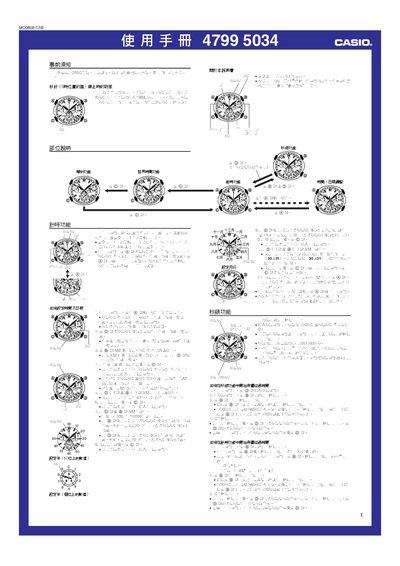
Casio 4799 5034 1MO0808 Watch User Manual
This manual provides step‑by‑step instructions for operating the Casio 4799 5034 1MO0808 watch. It covers basic functions such as starting the stopped second hand, setting the time, date, daylight‑saving time, and selecting city codes for the world‑time feature.
Additional sections describe the alarm setup, stopwatch operation, base‑position calibration of the hands, and reference data such as city‑code tables and time‑zone differentials. The guide also explains automatic calendar behavior and battery‑saving features. This manual is written in Chinese.
Casio 4799 5034 1MO0808 specifications
| Battery‑saving mode | Second hand stopped at factory |
|---|---|
| Automatic calendar | Adjusts month length and leap years automatically |
| World‑time coverage | 27 cities (29 time zones) |
| Stopwatch range | 23 h 59 m 59.95 s |
All Casio 4799 5034 1MO0808 documents by type
Day-to-day operation, settings and troubleshooting. Start here if the product is already set up.
Questions answered in these manuals
How can I change the daylight‑saving time (DST) setting?
While in the time‑setting mode, press the B button to toggle DST ON or OFF; the second hand will point to ON or OFF accordingly.
How do I start the stopped seconds hand after purchase?
Press any button on the watch; the seconds hand will begin to move.