
Key facts
- Brand
- Casio
- Model
- 5081
- Industry
- Electronics
- Documents
- 4
- Languages
- EN · ZH
- Last added
- 2026-10-14
Start here
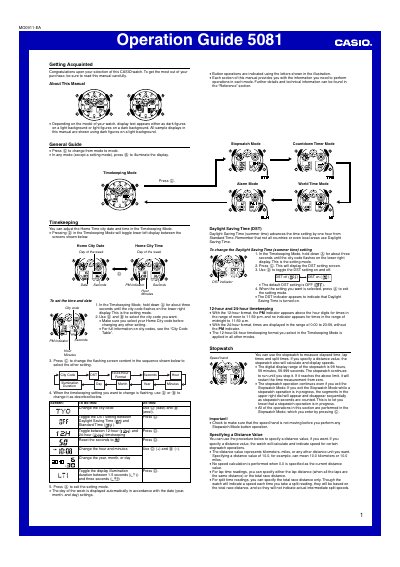
Casio 5081 Watch Operation Guide
This operation guide walks you through all functions of the Casio 5081 digital watch. It covers basic time‑keeping, alarm setup, stopwatch with distance‑based speed calculation, countdown timer, world‑time city selection, illumination settings, and manual hand‑position correction.
Each mode is described with step‑by‑step button sequences, illustrated button letters, and tips for safe use such as auto‑light switch handling and magnet‑impact correction. The reference section provides city‑code tables and technical details for advanced configuration.
Casio 5081 specifications
| Accuracy | ± 15 seconds a month |
|---|---|
| Battery | One lithium battery (Type: CR1220) |
| Approximate Battery Life | 2 years |
| World Time Cities | 48 cities |
| Stopwatch Measuring Unit | 1/1000 second |
Source: CASIO 5081 Watch User's Guide
All Casio 5081 documents by type
Day-to-day operation, settings and troubleshooting. Start here if the product is already set up.
Questions answered in these manuals
How do I change the year, month, or day?
Use D (+) and B (–) to change the selected setting, then press A to exit.
What happens if the hands go out of alignment?
Exposure to strong magnetism or impact can cause this; refer to the Operation Guide for correction.
How can I turn on the display illumination manually?
Press B in any mode; the display will light for the duration set (1.5 s or 3 s).
How do I change the city code for the world‑time display?
Press the @ button to cycle through city codes; hold the button for about three seconds to select the desired city.
From: Casio 5081 User Manual
How can I enable the automatic illumination feature?
Turn on the automatic illumination by activating its indicator; the watch will light up automatically when you rotate the watch face more than about 40° toward you.
From: Casio 5081 User Manual
How do I enable or disable the automatic lighting feature?
In time‑keeping mode hold the B button for about three seconds; this toggles the automatic lighting indicator on or off.