
Key facts
- Brand
- Casio
- Model
- DQR-300
- Category
- Clocks and Timers
- Documents
- 2
- Languages
- EN
- Last added
- 2012-06-06
Start here
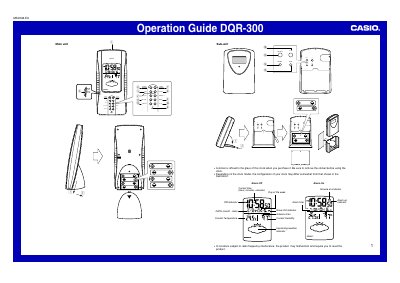
Casio DQR-300 Operation Guide
The Casio DQR-300 is an operation guide for a dual-unit clock system consisting of a main unit (indoor) and a sub-unit (outdoor). The device features automatic time synchronization via radio signal reception from Mainflingen, Germany, as well as manual setting capabilities.
Read onlineCasio DQR-300 specifications
| Time Calibration Signal Source | Mainflingen, Germany |
|---|---|
| Signal Reception Range | approximately 1,200 km |
| Year Setting Range | 2000 to 2039 |
| Signal Reception Frequency | eight times each day |
Source: Casio DQR-300 Operation Guide
All Casio DQR-300 documents by type
Day-to-day operation, settings and troubleshooting. Start here if the product is already set up.
Questions answered in these manuals
How do I manually set the alarm?
Use the Alarm Time Set buttons to change the digits while the alarm time setting screen is displayed.
What happens if I replace the batteries?
You must press the RESET button after replacing batteries to reset the clock settings.
How often does the clock receive time calibration signals?
The clock receives the time calibration signal eight times each day at specific hours.
What happens if the signal reception fails?
The antenna icon disappears from the display, and you should try changing the clock's position or pressing the WAVE button.