
Key facts
- Brand
- Casio
- Model
- HS-6
- Category
- Other products
- Industry
- Appliances
- Documents
- 2
- Languages
- EN
- Last added
- 2012-06-06
Start here
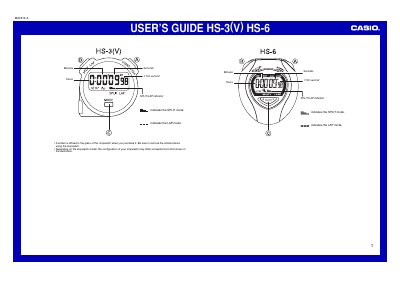
Casio HS-3(V)/HS-6 Stopwatch User's Guide
The document is a two-page user's guide for the Casio HS-3(V) and HS-6 stopwatch models. It provides instructions on removing the protective sticker from the glass before use and notes that button configurations may vary slightly by model.
The guide details how to operate the device, covering normal time measurement, net times (accumulated time excluding loss), split timing for multiple runners, and lap timing for event segments. It also specifies the maximum measurable elapsed time as 9 hours, 59 minutes, and 59.99 seconds.
Casio HS-6 specifications
| Time Display Ranges (Total elapsed time) | 9 hours, 59 minutes, 59.999 seconds |
|---|---|
| Time Display Ranges (Lap time) | 59 minutes, 59.999 seconds |
| Lap counter range | 01 to 99 |
| Memory capacity for laps/splits | Up to 99 records |
| Year setting limit | 2099 |
| Water resistance rating | Five bars (atmospheres) |
All Casio HS-6 documents by type
Day-to-day operation, settings and troubleshooting. Start here if the product is already set up.
Questions answered in these manuals
What must be done with the sticker on the stopwatch glass before using it?
You must remove the sticker that is affixed to the glass when you purchase the stopwatch.
What happens if you press the start/stop button while a measurement is stopped?
Pressing this button resets the time display to all zeros.
How do I toggle between the TIME and STOPWATCH screens?
Each press of the button toggles the display between the TIME and STOPWATCH screens.
How do I switch between 12-hour and 24-hour formats?
Hold down the button for a few seconds to toggle between 12/24-hour formats.