
Key facts
- Brand
- Casio
- Model
- 3071 (B)
- Category
- Other
- Industry
- Electronics
- Documents
- 2
- Languages
- ZH
- Last added
- 2012-04-12
Start here
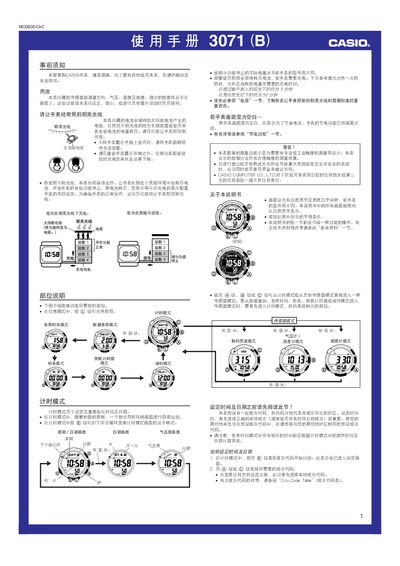
Casio 3071 (B) Watch User Manual
This manual provides step‑by‑step instructions for operating the Casio 3071 (B) watch, including time and date setting, world time, daylight‑saving adjustments, and sensor modes such as digital compass, barometer/thermometer, and altimeter. It also covers battery charging with solar light, power‑saving features, and safety warnings for outdoor use.
Additional sections describe how to calibrate the compass, manage alarms, use the stopwatch and countdown timer, enable or disable automatic illumination, and view recorded altitude data. The guide includes troubleshooting tips and detailed specifications for pressure, temperature, and altitude measurements. This manual is written in Chinese.
Casio 3071 (B) specifications
| Solar charging time in bright sunlight | ≈5 minutes |
|---|---|
| Altitude measurement range | -700 m to 10 000 m |
| Altitude display unit | 5 m (20 ft) |
| Battery level indicator – critical level | Level 5 stops all functions |
Source: Casio 3071 (B) Watch User Manual
All Casio 3071 (B) documents by type
Day-to-day operation, settings and troubleshooting. Start here if the product is already set up.
Questions answered in these manuals
How do I enable or disable the automatic illumination feature?
In Time mode, hold the L button for about 3 seconds to toggle the automatic illumination on or off; the A.EL indicator shows its status.
How does the barometer function work?
The barometer measures atmospheric pressure; changes in pressure are displayed and can be used to predict weather trends, with higher pressure indicating improving conditions and lower pressure indicating deterioration.
How does the altimeter determine altitude?
The altimeter uses the built‑in pressure sensor to measure atmospheric pressure and converts it to altitude based on the International Standard Atmosphere (ISA) reference values, optionally using a user‑set reference height.