
Key facts
- Brand
- Canon
- Model
- XLH1
- Category
- Camcorders
- Industry
- Electronics
- Documents
- 4
- Languages
- EN · ZH
- Last added
- 2026-10-06
Start here
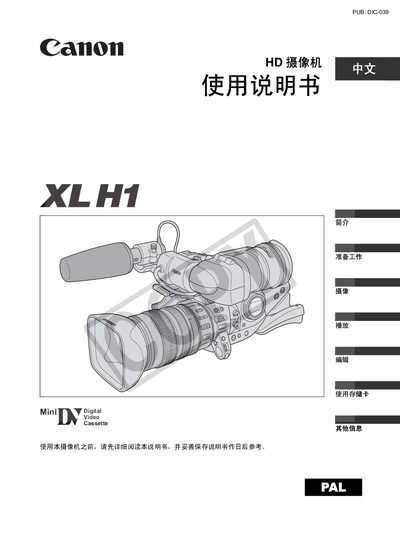
Canon XL H1 Camcorder User Manual
This manual covers safety warnings, preparation steps, and detailed instructions for operating the Canon XL H1 camcorder, including camera setup, recording modes, playback, and editing functions. It also lists optional accessories, specifications, and troubleshooting tips.
The guide explains how to configure time zone, date, and time settings, how to use the built‑in lenses and filters, and how to connect the camcorder to external monitors, TVs, or computers for playback and file transfer. This manual is written in Chinese.
Canon XLH1 specifications
| Video Recording System | HDV 1080i / DV |
|---|---|
| Image Sensor | 1/3‑inch CCD, approx. 1.67 M pixels |
| Maximum Recording Time (60 min cassette) | 60 min (SP), 90 min (LP) |
| Power Supply (rated) | 7.4 V |
Source: Canon XL H1 Digital Video Camcorder Instruction Manual
All Canon XLH1 documents by type
Day-to-day operation, settings and troubleshooting. Start here if the product is already set up.
Questions answered in these manuals
What type of memory cards are supported?
The camcorder works with SD memory cards up to 2 GB and MultiMediaCards (MMC).
From: Canon XL H1 Digital Video Camcorder Instruction Manual
What is the maximum recording time on a 60‑minute cassette?
A 60‑minute cassette records up to 60 minutes in SP mode and 90 minutes in LP mode.
From: Canon XL H1 Digital Video Camcorder Instruction Manual
How do I set the time zone and date on the Canon XL H1?
Turn the SELECT knob to choose your time zone, then press the SET button; repeat the process for date and time settings.
What batteries does the XL H1 use?
The camcorder is powered by two AA (R6) batteries.
What type of batteries does the XL H1 use?
The camcorder is powered by two AA (R6) batteries.
What storage cards are compatible with the XL H1?
The camcorder accepts SD cards or MultiMediaCard (MMC) cards.